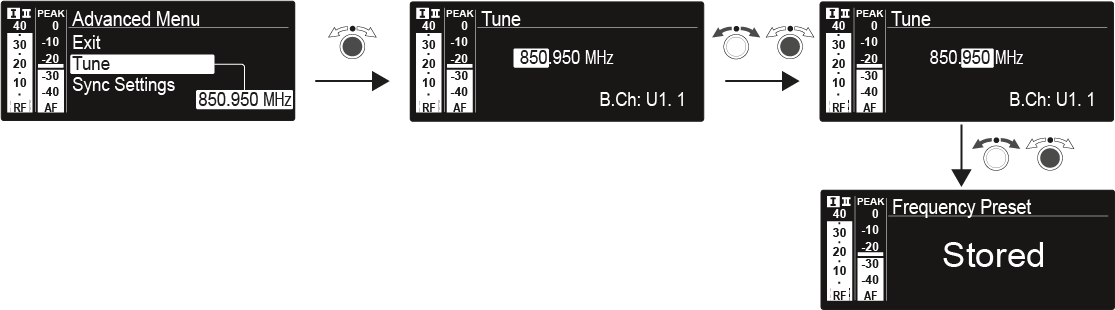
Advanced -> Tune menu item

In the Tune menu item of the Advanced submenu, you can configure the receiving frequencies for the frequency banks U1 to U6.

You can save a total of 32 frequencies in the U frequency bank.

Only adjusting the frequency
  1. Open the Tune menu item in the Advanced menu.
  2. Adjust the settings.

  3. Press the jog dial to save your selection.
    OR
  4. Press the ESC button to cancel the entry without saving the setting.
Setting the channel and frequency
  1. Select the Tune menu item and call it up by holding down the SET button until the channel selection appears.
  2. Adjust the settings.

  3. Press the jog dial to save your selection.
    OR
  4. Press the ESC button to cancel the entry without saving the setting.