This menu item lets you perform a firmware update for the transmitters.
This update is recommended after you perform a firmware update for the receiver (see Updating the firmware of the receiver).
To update the firmware for a transmitter in the System -> TX Update menu item:
-
Turn the jog dial in the System menu item until the TX Update menu item appears in the selection frame.
-
Press the jog dial to open the menu.
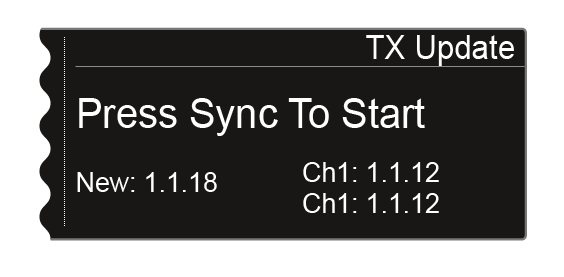
The following view is shown on the display.
-
The following information is displayed:
- New shows the version of the new firmware that is available after the firmware update for the receiver.
- Ch1 shows the firmware that is currently installed on the transmitter for the receiving channel CH 1.
- Ch2 shows the firmware that is currently installed on the transmitter for the receiving channel CH 2.
-
Press the Sync button for the desired channel.
-
Hold the transmitter and its infrared interface in front of the infrared interface of the receiver. See Synchronizing devices.
-
Be sure not to interrupt the process.
If the firmware update is interrupted, the following icon is shown on the transmitter’s display.

-
If this is the case, repeat the process.