
Connecting the EM 6000 to a network
You can monitor and control one or more receivers via a network connection using the Sennheiser Wireless Systems Manager (WSM) or Sennheiser Control Cockpit (SCC) software.
The network does not have to be a homogeneous network including only receivers. You can integrate the EM 6000 into your existing network infrastructure with any other types of devices.
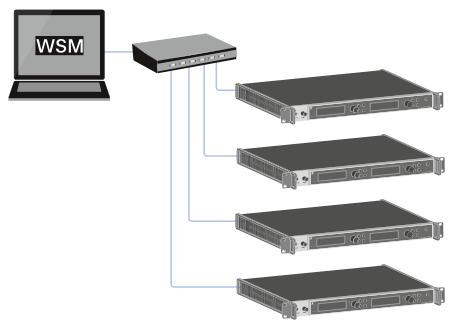
To connect the EM 6000 to a network:
Connect a network cable with an RJ-45 connector (Cat5 at minimum) to the Ethernet socket on the rear side of the EM 6000.
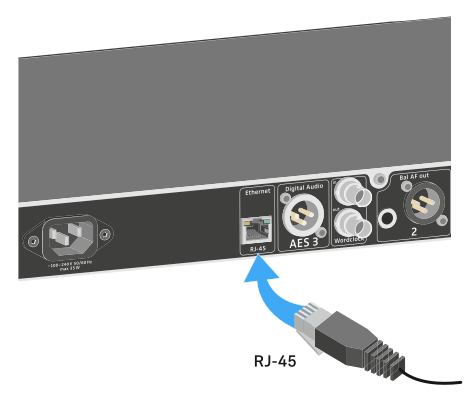
For more information about controlling devices via the Sennheiser Wireless Systems Manager (WSM) or Sennheiser Control Cockpit (SCC) software, refer to the instruction manual for the software. You can download the software here: