
Connecting/disconnecting the EM 6000 to/from the power supply system
This section contains information on how to correctly connect the receiver to the power supply system and disconnect it again completely.
To connect the EM 6000 to the power supply system:
-
Connect the mains cable plug into a suitable wall socket.
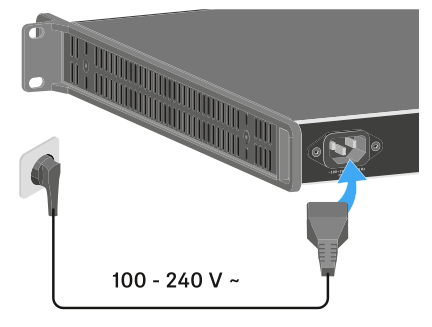
Once the EM 6000 is connected to the power supply, the ON/OFF button lights up dimmed. If the booster voltage for antennas is activated in the menu (see System -> Booster Feed menu item), it is active already before you switch on and after you switch off the EM 6000.
To completely disconnect the EM 6000 from the power supply system: