
Bulk firmware updates
Select multiple claimed devices and update their firmware at the same time.
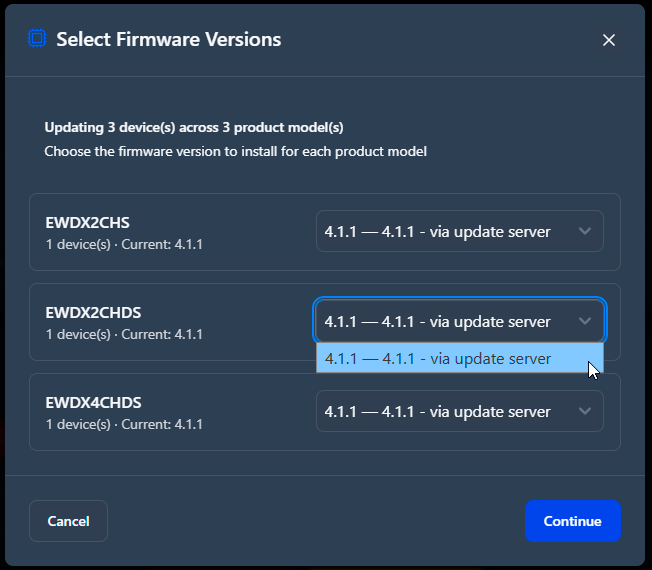
When you use locally uploaded firmware files, select a specific firmware version for each product model before the update starts. This gives you precise control over mixed-model fleets.
The validation summary shows which devices need updates and which devices already run the current firmware.
Notice
Closing the application during active updates
- If you try to close the application while firmware updates are in progress, a confirmation dialog appears.
- The dialog lists the devices that are currently updating.
- Device-side updates continue after the application is closed. Closing the application does not interrupt or damage ongoing firmware updates.
To update bulk devices:
-
Select the firmware versions for the devices you want to update.
-
Review the validation summary and confirm the firmware versions for each
product model if you use locally uploaded firmware files.
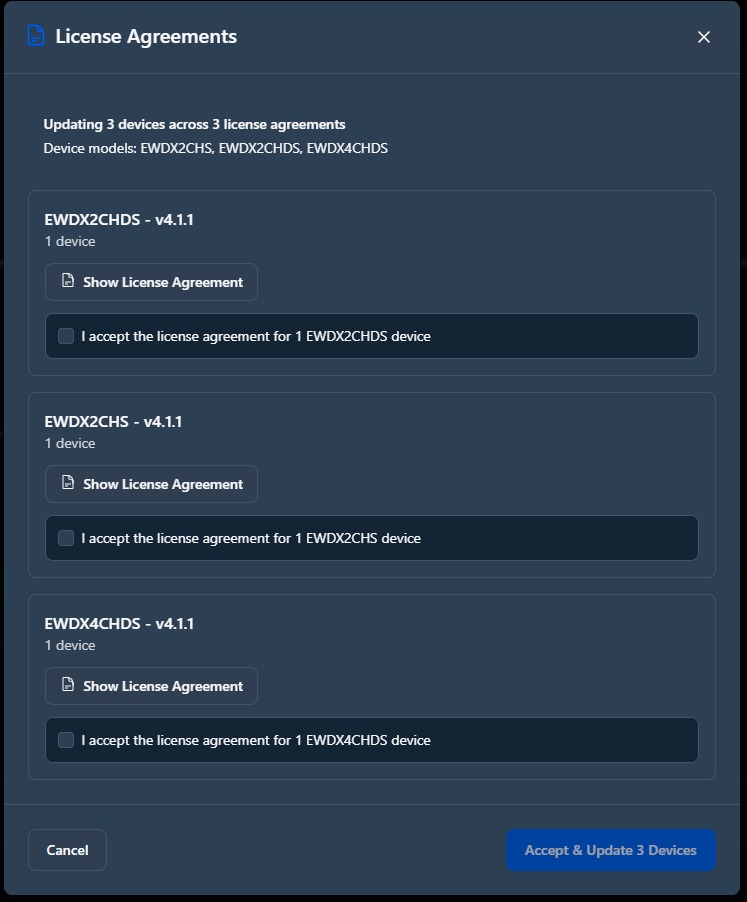
-
Click Accept & Update {number} Devices to confirm
the update and accept the license agreement for the full device batch.
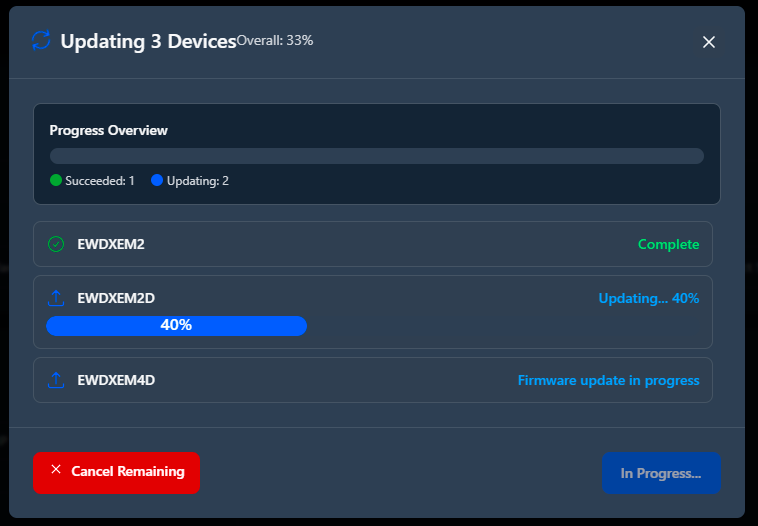
The download, installation, and verification progress is shown separately for each device. Failed updates are retried once automatically before manual intervention is required.
 A single license agreement modal covers the full device batch before any update begins. The modal states how many devices are affected and cannot be bypassed. If you decline it, the entire batch operation is canceled and the device selection view is restored.