
Bulk device operations
Rental technicians can now prepare entire device fleets in a single workflow.
Operations overview:
All bulk operations support 2–80 devices simultaneously and require no more than 3–4 clicks from selection to completion. Failed operations are automatically retried once before being flagged for individual attention, and a post-operation summary gives a clear overview of the results.
Devices that are not eligible for a selected bulk operation are silently excluded from
that action; the results summary shows exactly which devices were affected.
To select multiple devices:
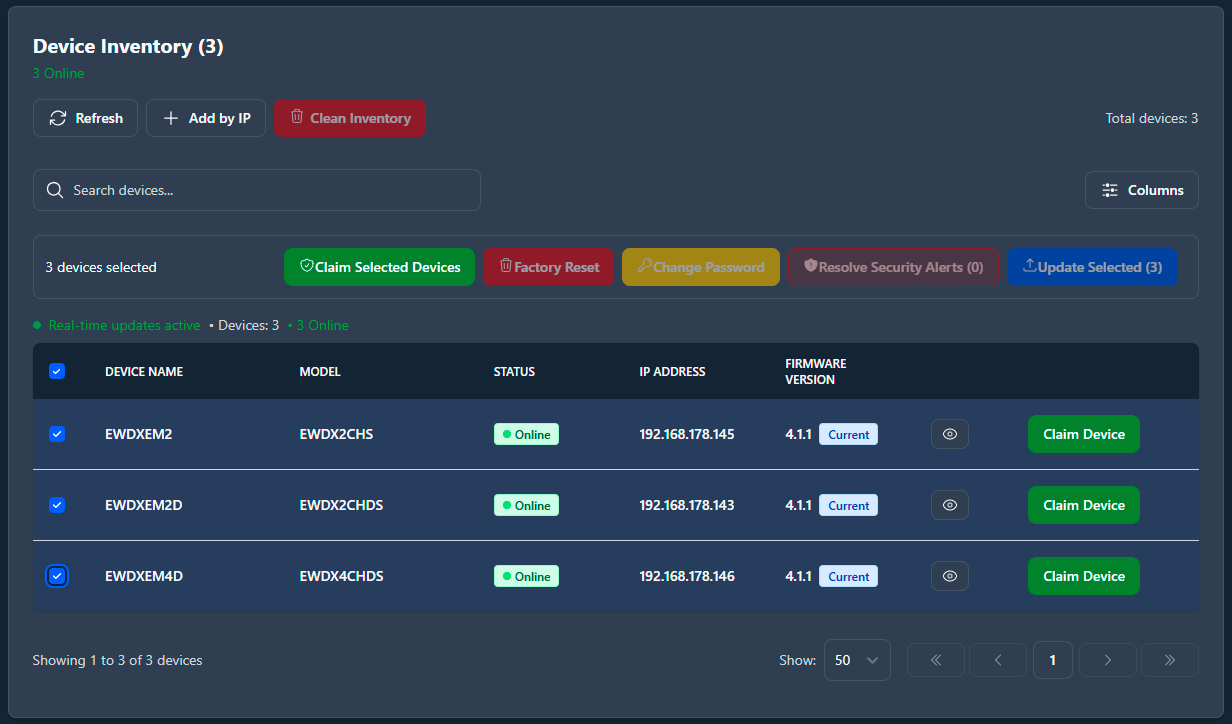
- Use the selection checkboxes in the device inventory to select the devices you want to act on.
- Choose the bulk action to perform (claim, update, change password, or factory reset).