
Updating devices
Updating from version 3.x to version 4.x
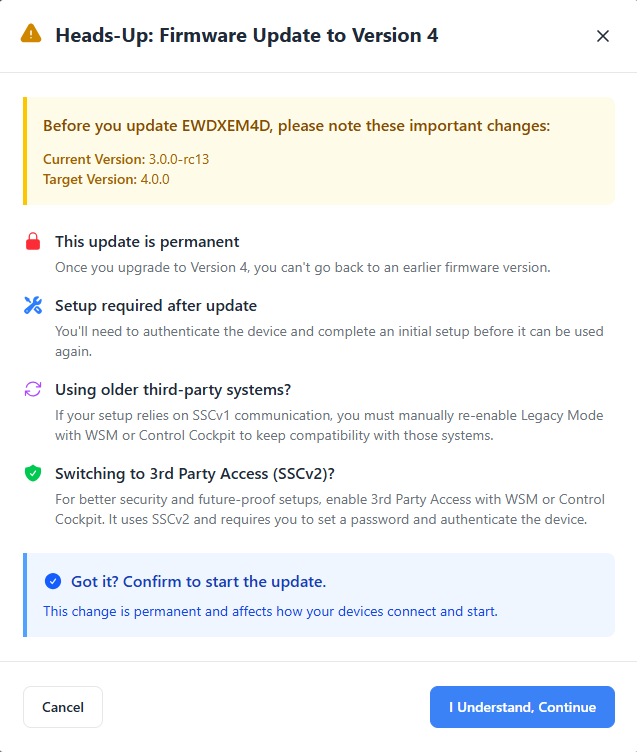
When updating a device from firmware version 3.x to version 4.x, you'll see a
special warning modal explaining:
- This update is irreversible.
- You'll need to complete a required setup after the update.
- Legacy mode will be available for older protocol compatibility.
- SSCv2 will be activated for enhanced security.
The update cannot start without license acceptance. You must acknowledge these
points before the update can proceed.
License Agreements
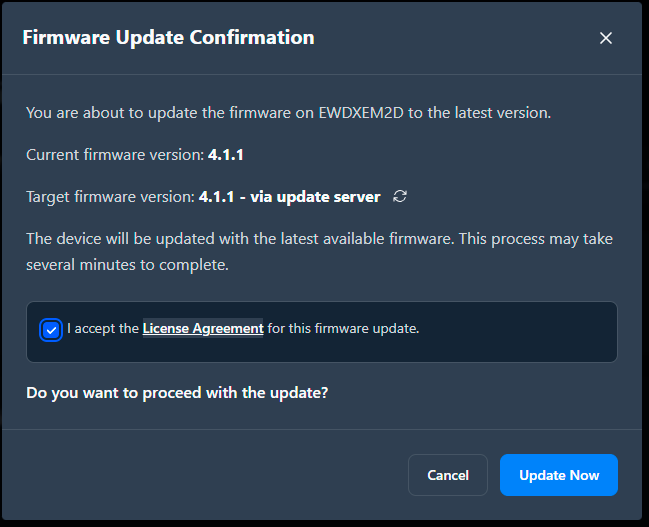
Every firmware update requires you to accept a license agreement. The
license is shown before the update begins.
- You must click Accept to proceed.
- Click on Cancel in order to cancel the update.
To update a single device firmware:
-
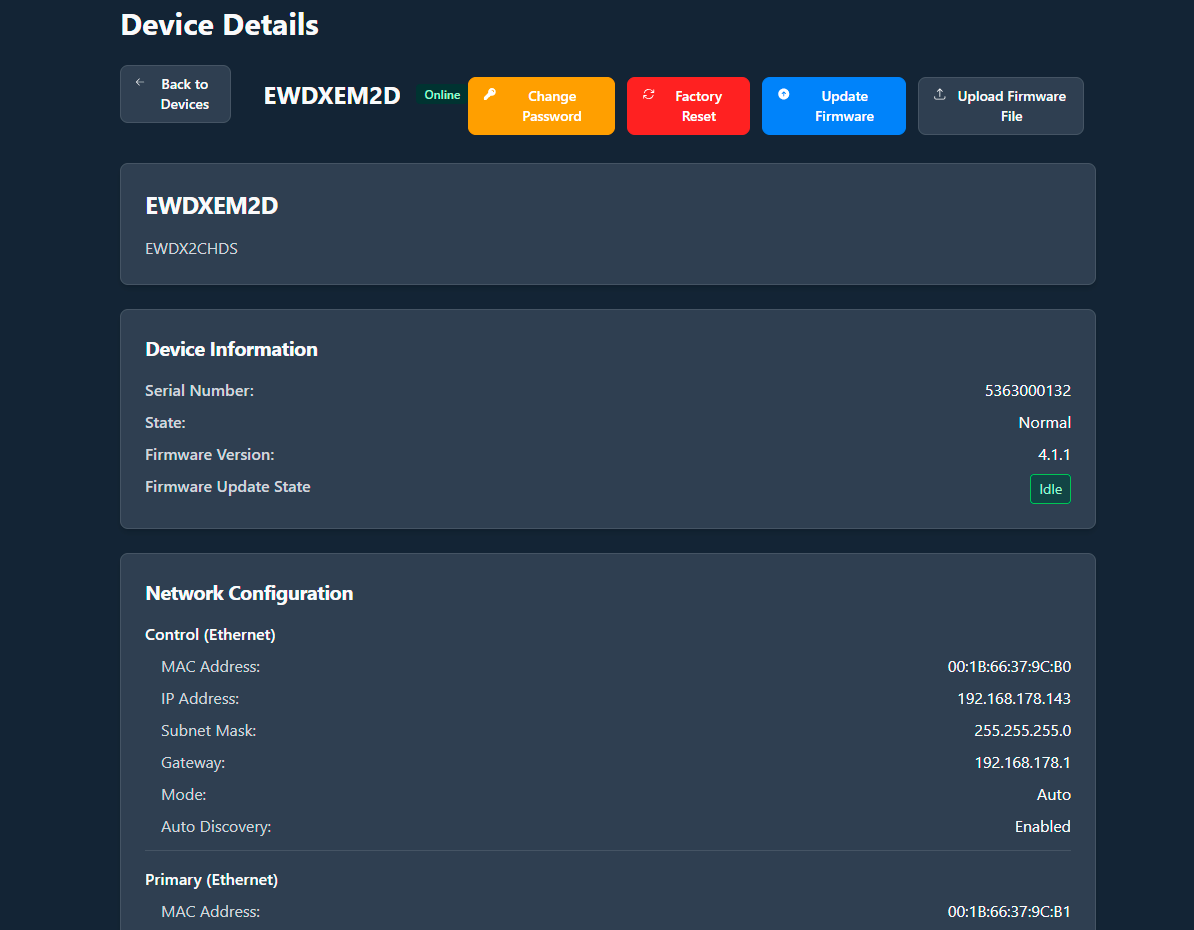
Open the device detail view.
-
Accept the license agreement when prompted.
The update begins with a progress indicator.You'll see a success or failure message when complete.