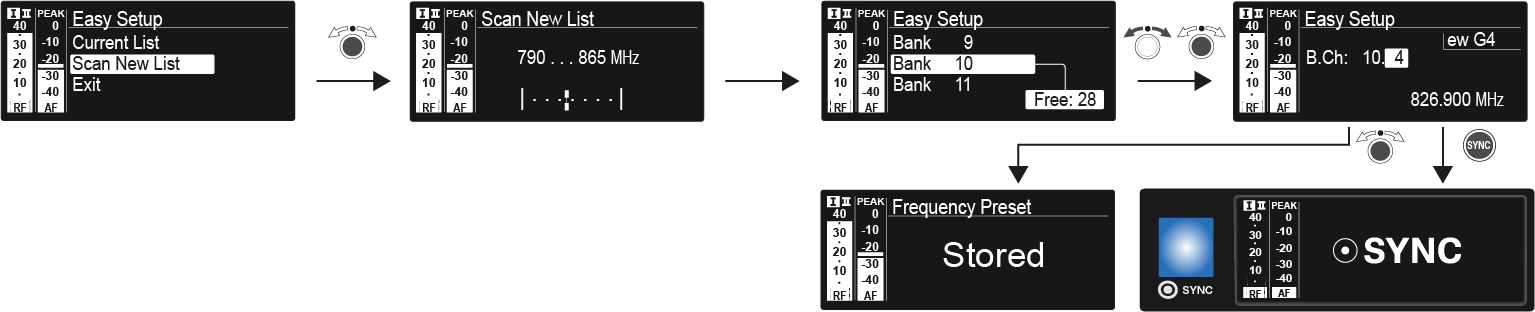
Select Scan New List to scan for unused frequencies.
Press the jog dial to start the scan.
The frequency range of the receiver is scanned. As a result, the number of unused frequencies is displayed for every frequency bank.
Turn the jog dial to select a frequency bank.
Press the jog dial to confirm your selection.
Turn the jog dial to select an unused frequency from
the selected bank.
Press the jog dial to save your selection and synchronize the selected
frequency with the transmitter at a later point (see Ew 300-500 G4 synchronizing).
OR
Press the SYNC button to synchronize the selected frequency with the transmitter immediately.