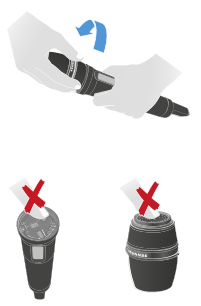
Attaching the SKM COM
The SKM COM with the push button adds additional functions to the SKM.
To attach the SKM COM:
-
Tighten the 3 screws evenly by hand using the supplied angle screwdriver.
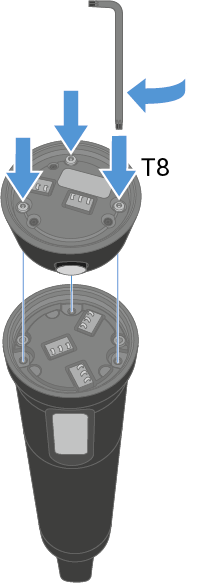
-
Do not touch the contacts of the microphone or the microphone module. You might contaminate or bend them.