
High Boost menu item
In the High Boost menu item you can change the treble boost of the output signal.
Setting range:
- 8 dB at 10 kHz
To open the High Boost menu item:
- On the home screen, press the SET button to open the operating menu.
- Press the UP or DOWN button until the High Boost menu item appears in SET selection frame.
- Press the SET button to open the menu item.
-
Adjust the settings as desired.
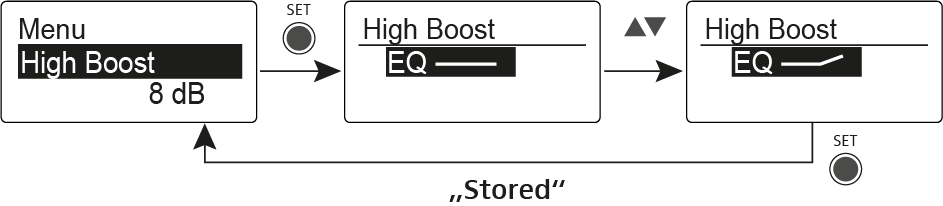
- Press the SET button to save the changes you made to the settings OR
- Press the ESC button to cancel the entry without saving the settings.