
Advanced -> Tune menu item
In the Tune menu item of the Advanced submenu, you can configure the receiving frequencies for the frequency banks U1 to U6.
You can save a total of 16 frequencies in every U frequency bank.
Only adjusting the frequency
- Open the Tune menu item in the Advanced menu.
-
Adjust the settings.
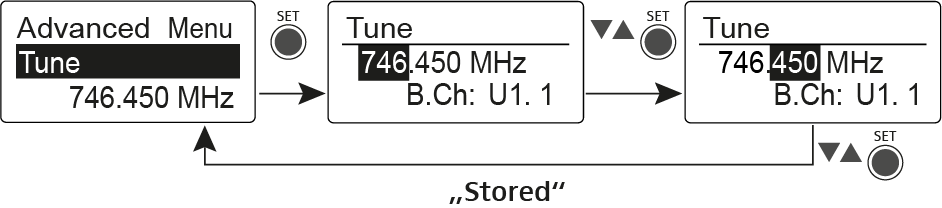
- Press the SET button to save the changes you made to the settings. OR
- Press the ESC button to cancel the entry without saving the settings.
Setting the channel and frequency
- Select the Tune menu item and call it up by holding down the SET button until the channel selection appears.
-
Adjust the settings.
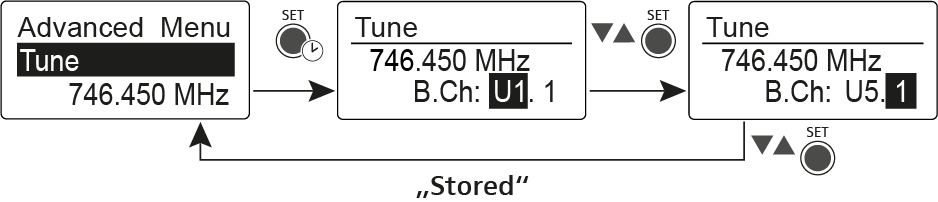
- Press the SET button to save the changes you made to the settings. OR
- Press the ESC button to cancel the entry without saving the settings.