
Buttons for navigating through the menu
To navigate through the EK 2000 IEM operating menu, you need the following buttons.
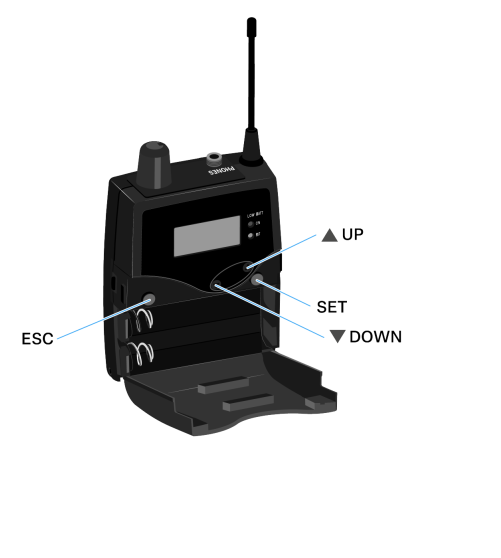

Press the ESC button
- Cancels the entry and returns to the current standard display
- Selects a standard display (see Home Screen)

Press the SET button
- Changes from the current standard display to the operating menu
- Calls up a menu item
- Changes to a submenu
- Stores the settings and returns to the operating menu (see Home Screen)

Press the UP or DOWN button
- Changes to the previous or next menu item
- Changes the setting of a menu item
- In Focus mode: Adjusts the balance
- In Stereo mode: Selects a standard display (see Home Screen)