Get your Base Station ready to use in a few steps.
After unpacking the Base Station you must update the firmware before activating a licence.
If you use LinkDesk the update is mandatory before activating a licence.
NOTICE
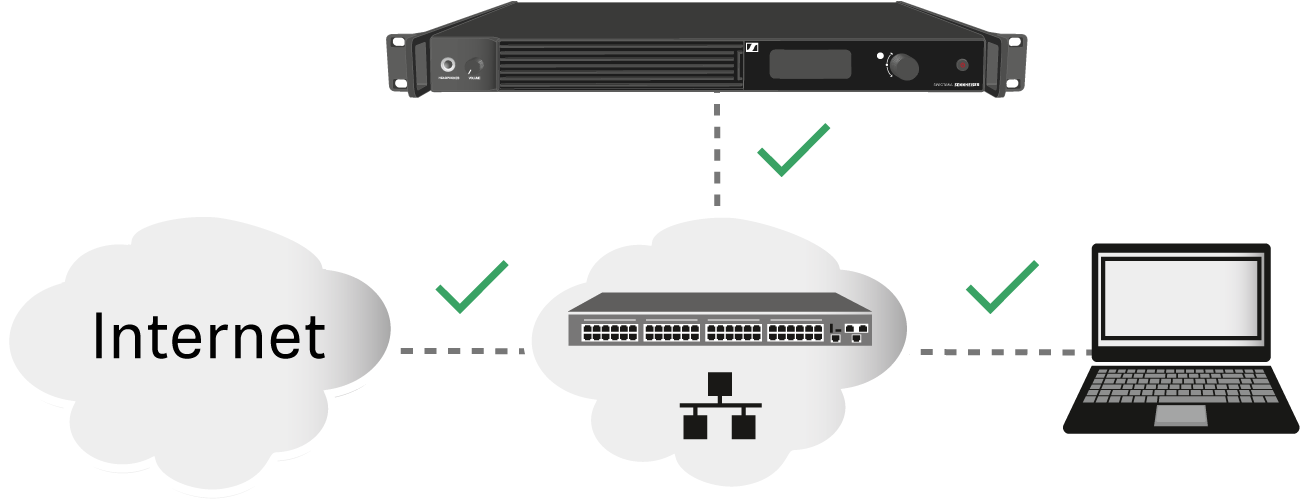
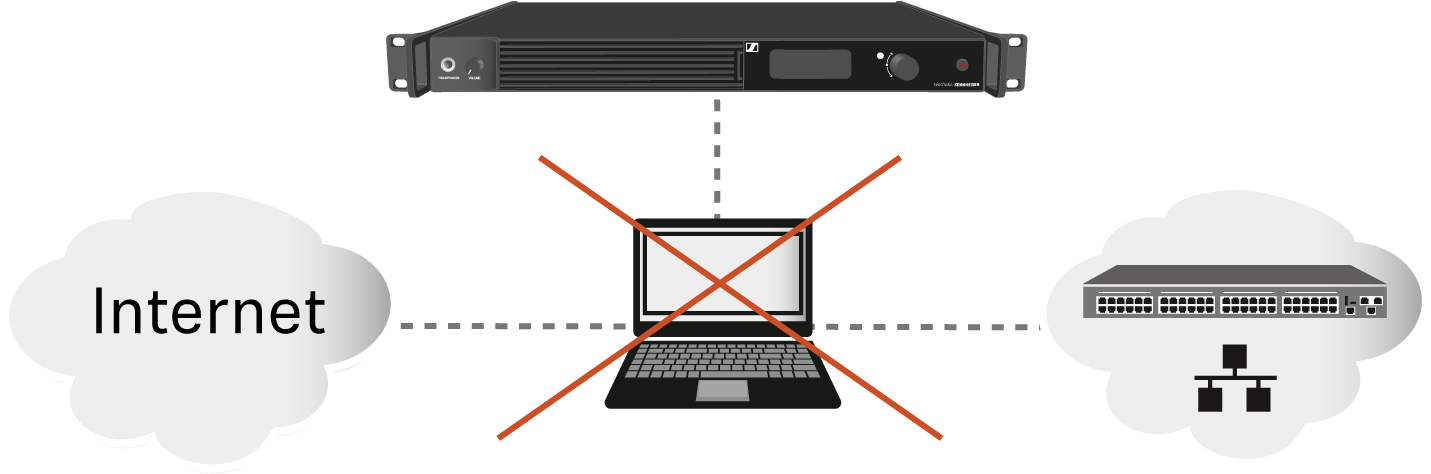
License activation requires a direct Internet connection to the device
In order to activate the Base Station using the 18-digit
license code, a direct Internet connection is required.
Please connect your Base Station directly to a network
with Internet access via a switch or router. For more information,
refer to the chapter Connecting to a network.
Direct connections via laptop etc.
are not supported for activation!
The Internet is only required once for activation.
To connect the Base Station to the power supply system:
Connect one mains cable to the power socket on the rear side of the Base
Station.
Connect one mains cable plug into a suitable wall socket.
The Base Station is connected to the power supply.
To connect the Base Station to a network:
Plug one side of the network cable into the Control socket.
Plug the other side of the network cable to a switch, router or directly to a computer.
The Base Station needs a direct Internet access!
The Base Station has been connected to a network.
To update the firmware:
If you want to use Spectera WebUI, it depends on the initial firmware version: