
Product overview and operating elements – front panel
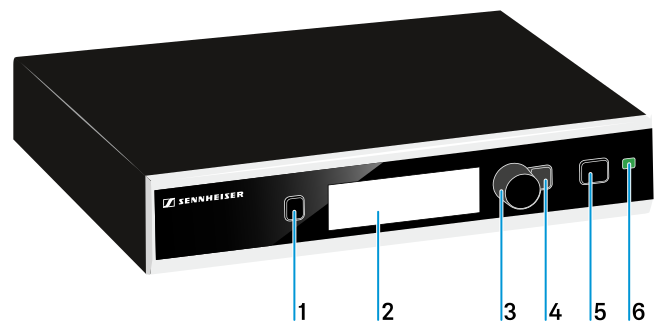
- 1 PAIR button
- Short-press to identify the paired transmitter.
- 2 Display panel
- see Displays on the receiver’s display panel
- 3 Jog dial
- Turn to navigate through the menu, to change settings or to change from the home screen to the secondary home screen.
- 4 ESC button
- Short-press to navigate to the next higher level in the menu or to exit a menu item without confirming new settings or entries.
- 5 STANDBY button
- see Switching the receiver on and off
- 6 Stauts LED
- see Meaning of the Status LED