
Controlling and monitoring the receiver via the network
You can connect several receivers in a network using a router or a switch. This allows you to control and monitor a larger SpeechLine Digital Wireless system using the Sennheiser Control Cockpit software.
For more information on controlling a system in the network using the Sennheiser Control Cockpit software, refer to the instruction manual of the software.
Please note that the host PC on which the Sennheiser Control Cockpit Service is installed must be in the same network as the devices that are to be monitored and controlled.
Connecting receivers in a network
-
Connect a standard network cable (at least Cat 5) to the Ethernet socket LAN of your receiver.
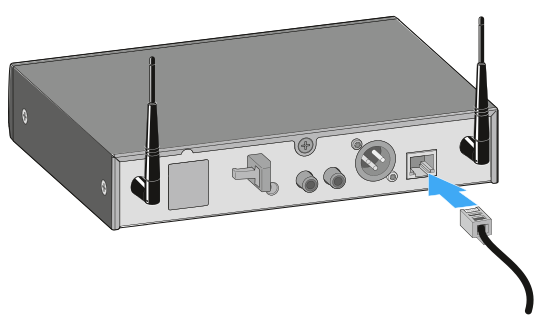
Integrating the receiver into a network with DHCP
The receiver obtains the IP address from the DHCP server.
Integrating the receiver into a network without DHCP using Auto IP
If there is no DHCP server in the network and you are working with automatically generated IP addresses, please observe the following information.
Integrating the receiver into a network without DHCP using Fixed IP
If there is no DHCP server in the network and you are working with fixed IP addresses, please observe the following information.
To add the receiver in the Sennheiser Control Cockpit: