
Walktest menu item
Once you have set up and installed all of the receivers and transmitters for your event, we recommend performing a walk test.
This lets you check whether sufficient reception strength is available throughout the entire area used.
Start the walktest function in this menu item and then walk the entire area with one transmitter. The results of the walk test give you information about the reception quality.
To perform the Walktest:
-
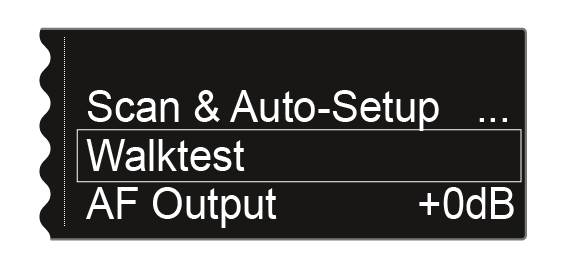
Turn the jog dial until the Walktest menu item appears in the selection frame:
-
Press the jog dial to open the menu.
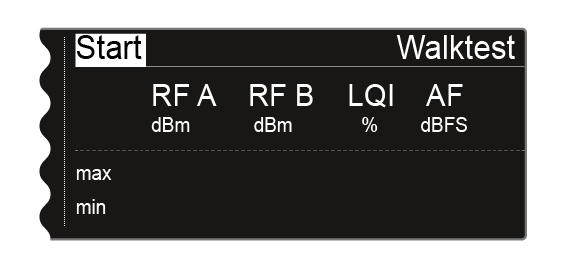
The following view is displayed: The Start option in the top left of the display is already highlighted for selection.
-
Walk the entire area on which you want to operate the system with the transmitter.
The following values are recorded on the display:
RF A: Reception from antenna A in dBm
RF B: Reception from antenna B in dBm
LQI: Connection quality as a % - see also Meaning of the Link Quality Indicator
AF: Transmitter audio frequency in dBFS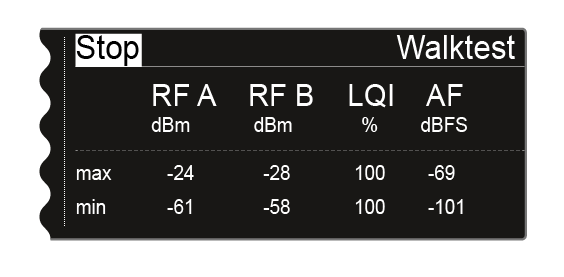
During the walk test, the Stop option in the top left of the display is highlighted as the selection.