In this menu item, you can configure the network settings for the Dante® network.
This menu item is available only with the product version EM 6000 DANTE.
To make settings in the System -> Dante Settings menu item:
-
Turn the jog dial in the System menu item until the Dante Settings menu item appears in the selection frame.
-
Press the jog dial to open the menu.
In the Dante Settings menu items, the following sub-items are available.
Note that all settings that you configure in the sub-items and save with the SAVE button are flagged with a star in the Dante Settings menu. Once you configure all the settings, you must close the overall Dante Settings menu item with the SAVE button to apply the configured settings. If you close the Dante Settings menu item with the ESC button, all the settings are discarded.
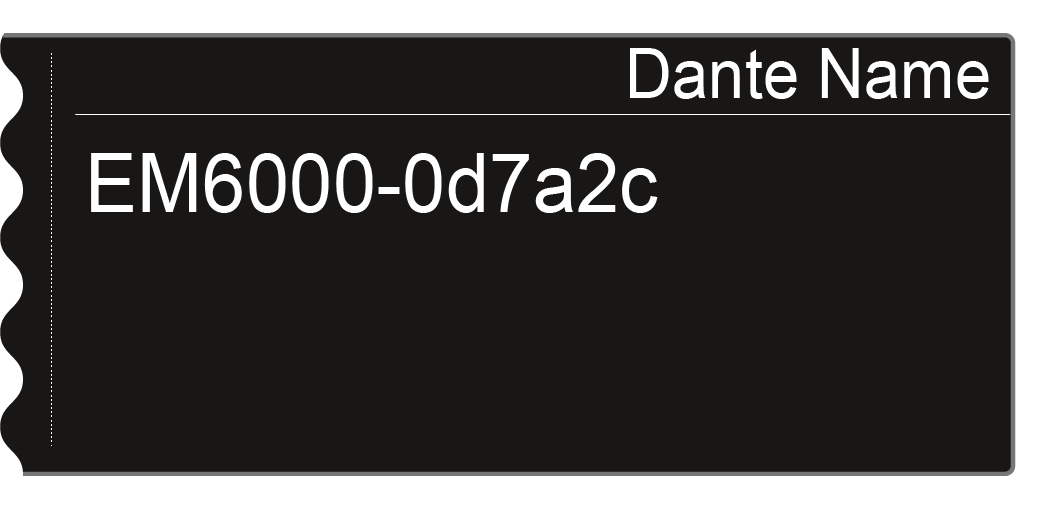
Device ID
-
This menu item shows the device name under which the EM 6000 DANTE is available in the Dante® network.
You cannot configure any settings here.
Mode
-
You can set two modes for the two RJ-45 Primary and Secondary sockets on the Dante® interface.
- Through mode: The signal is daisy-chained to cascade multiple EM 6000 DANTE receivers. The sequence of the two RJ-45 sockets is not defined. It is detected automatically.
- Redundant mode: The two RJ-45 sockets issue the same audio signal as two separate networks.
-
Turn the jog dial to choose between the two modes Through and Redundant.
-
Press the SAVE button to save the setting.
Please note: Incorrect Dante® network cabling (for example, Primary and Secondary on one switch) or switching over the Dante® configuration without adapting the network cabling may cause the Dante® system to stop responding.
PrimNet
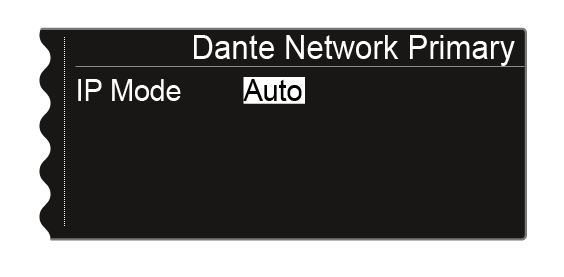
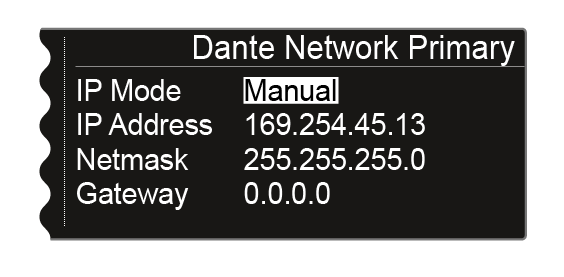
Network configuration for the Primary RJ-45 socket.
-
Turn the jog dial to choose between the two IP assignment modes Auto and Manual.
-
Press the jog dial to confirm your selection.
-
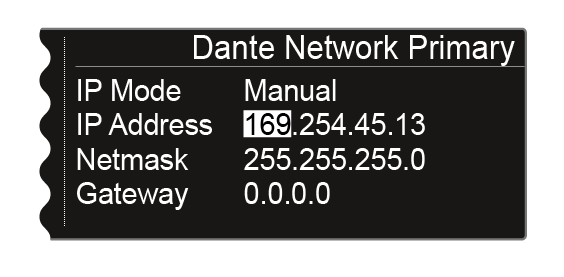
Press the jog dial in Manual mode to switch between the individual network configuration items.
-
Turn the jog dial to set the value.
-
Press the SAVE button to save the settings.
SecNet
-
Configure the network settings for the Secondary RJ-45 socket as in the PrimNet sub-item.
Info
-
This menu item shows the MAC address of the Dante® interface, the network configuration status and the current version of the Dante® firmware.
You cannot configure any settings here.
-
The device type is also displayed:
- Device Type Dante 1: EM 6000 DANTE with one RJ-45 socket (old version, no longer available)
- Device Type Dante 2: EM 6000 DANTE with two RJ-45 sockets
