Jump to main content
DeviceHub
DeviceHub
3rd Party API AVX Control Cockpit DeviceHub Digital 6000 Evolution Wireless Digital Profile Wireless Spectera Solution SpeechLine Digital Wireless TeamConnect Bar TeamConnect Ceiling Medium TeamConnect Ceiling 2 ...alle anzeigen
  • Release notes
  • Product information
  • Instruction manual
  • Knowledge base
  • Legal and compliance
  • Contact
  1. Home
  2. Instruction manual

    Detailed description of software navigation and configuration of enrolled Sennheiser devices.

  3. Overview

    Learn about the environment of DeviceHub with a clear representation of the structure.

  4. Team

    The Team section provides a comprehensive list of all users within an organization, their assigned roles and the invitation status.

  • Instruction manual

    Detailed description of software navigation and configuration of enrolled Sennheiser devices.

    • Get started

      Initial setup steps including registration, organization, user management, and device enrollment preparation.

    • Overview

      Learn about the environment of DeviceHub with a clear representation of the structure.

      • Dashboard

        On the dashboard page, you can see all relevant metrics of your organization and your enrolled devices.

      • Devices

        Manage Sennheiser devices using an overview page that displays all enrolled devices, along with a detail page for configuring individual device settings.

      • Locations and rooms

        Manage the physical layout of your organization by creating, editing, and deleting locations and rooms to efficiently monitor AV device deployment.

      • Team

        The Team section provides a comprehensive list of all users within an organization, their assigned roles and the invitation status.

      • Info

        Quick access to relevant topics and information about the software and the devices it operates.

      • Settings

        The settings page is a centralized space where organization-, account- and personal settings can be managed based on the user’s access level.

    • Team management

      Instructions for inviting users and managing invites to ensure seamless collaboration and communication within the team.

    • Location & room management

      Manage your location and room structure by adding, deleting, or renaming entries.

    • Device enrollment

      Follow the steps to enroll your device to DeviceHub, ensuring proper network connectivity and time configuration.

    • Device control

      Configure and control devices directly using the device's familiar LUI interface in DeviceHub.

    • Room assignment

      Manage room assignments for devices by assigning, changing, or removing their room assignments through the device overview or detail pages.

    • Account settings

      Here you can manage your account settings, including custom appearance, password, and membership.

Team

The Team section provides a comprehensive list of all users within an organization, their assigned roles and the invitation status.

Under Team, you can invite additional people to collaborate in this environment. You assign roles and can view the status of each person and manage membership.
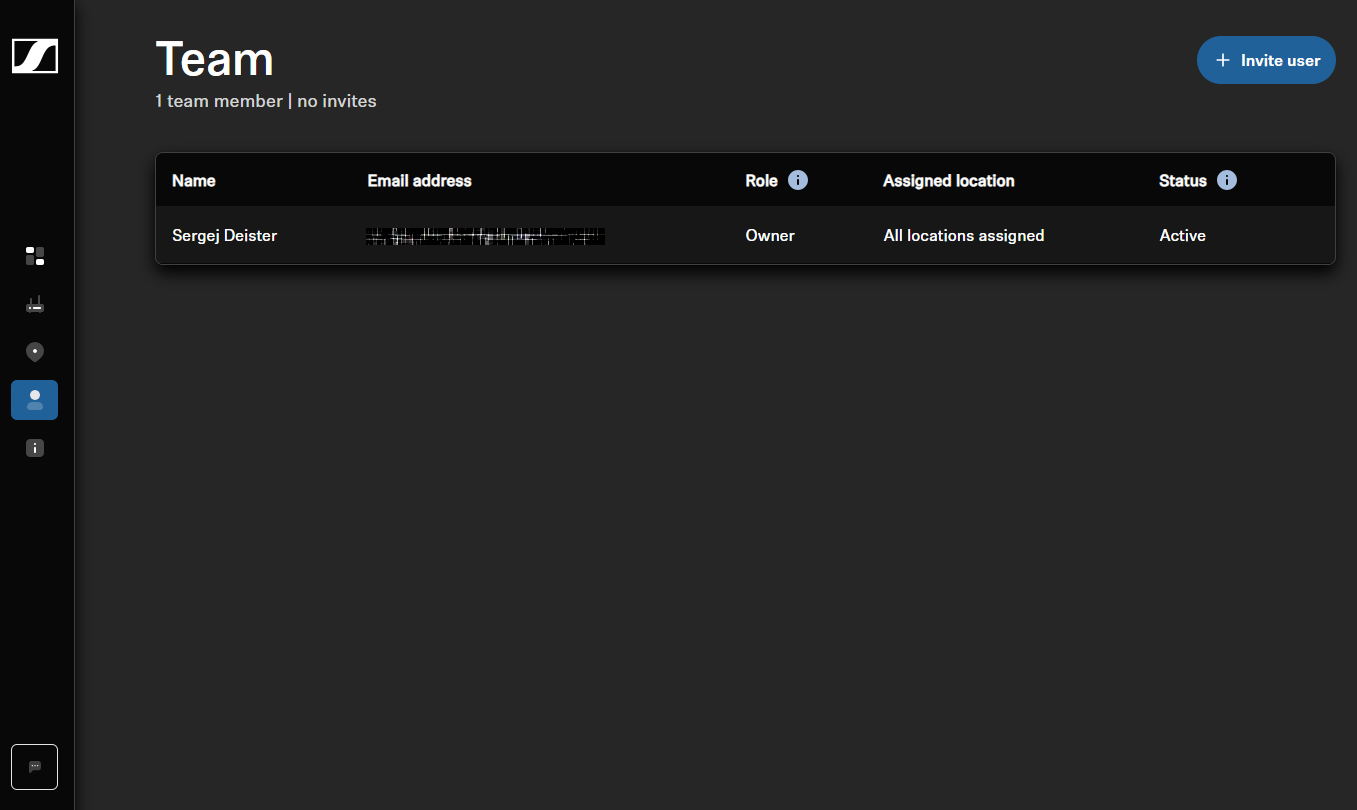


Overview of all possible operations under Teams:

  • Inviting users to organization
  • Managing pending invites
  • Roles and permissions
  • Joining an organization by invite
  • Removing users from organization
v4.0 | 08/2026
English
© Sennheiser electronic SE & Co. KG | |
Wählen Sie hier Ihre Sprache aus