Enable Third Party Access
Get access to the products via an third party client.
In the Wireless Systems Manager you can set up third-party access to allow other clients (not Sennheiser) to access the devices.
Creating a username with a password for each product is necessary.
To enable Third Party Access:
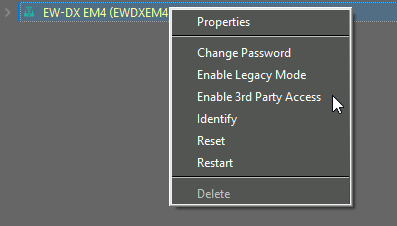
- Right-click on the device in the "Device List".
-
Click on "Enable 3rd Party Access".
-
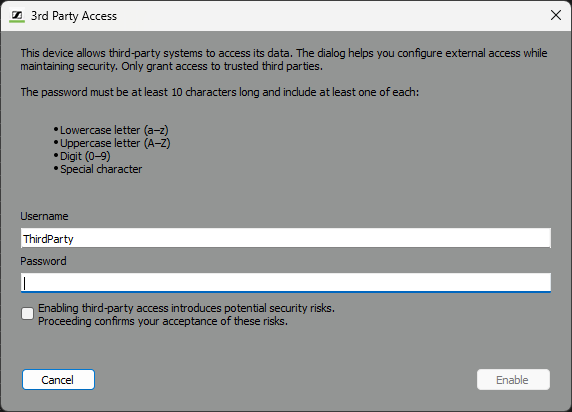
Enter a username and a password.
-
Activate the checkbox.
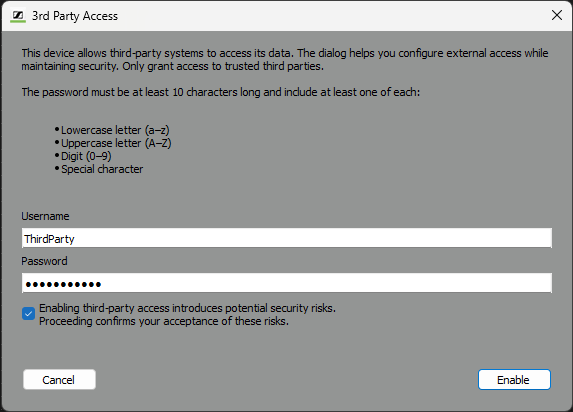
- Click on "Enable".
To disable Third Party Access:
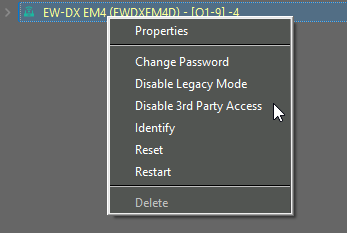
- Right-click on the device in the "Device List".
-
Click on "Disable 3rd Party Access".
-
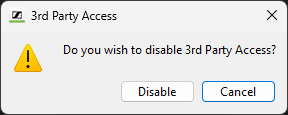
Click on "Disable".