Enable Legacy Mode
Set the devices to SSCv1.
After switching to SSCv2 and completing the claiming processes, it is now possible to revert the devices back to SSCv1 using Legacy Mode.
SSCv2 and SSCv1 will run in parallel.
Products and consols with SSCv1 can be accessed after enabling Legacy Mode.
Enabling Legacy Mode might pose a security risk.
To enable Legacy Mode:
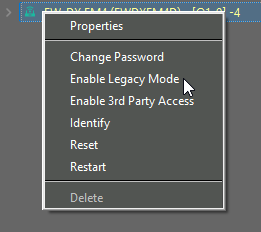
- Right-click on the device in the "Device List".
-
Click on "Enable Legacy Mode".
-
Click on "Yes".

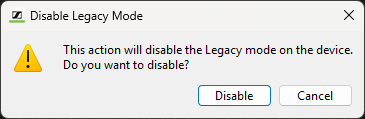
To disable Legacy Mode:
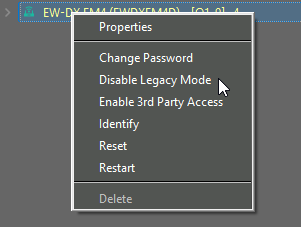
- Right-click on the device in the "Device List".
-
Click on "Disable Legacy Mode".
-
Click on "Disable".