
Configure TeamConnect Ceiling M Plus with a media control system
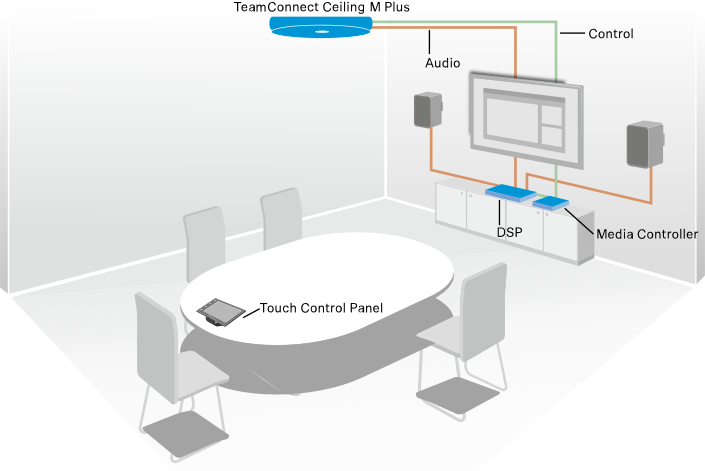
After the initial configuration with the Local Web UI (LUI), TeamConnect Ceiling M Plus can also be operated with a media control system.
TeamConnect Ceiling M Plus is shipped with
muted microphones. Before first use, you must configure the device in the Local Web UI (LUI) and
unmute it. See Monitoring & Control with the Local web UI (LUI).
- Establish a network connection
- Open the Local Web UI (LUI)
- Set a new password
- Select the operation mode
A media control system can provide a custom user interface with the following functions:
- Control the mute function
- Edit audio parameters (adjust the output level, display the microphone level, set the EQ)
- Control LEDs
- Transmit the speaker position
Example application:
The media control protocol for TeamConnect Ceiling M Plus is available as a PDF download on the product page on the internet: sennheiser.com/tccmplus.