
Muting internal and external audio signals
The microphone mute function can be activated and deactivated either via the remote
control or via the Control software.
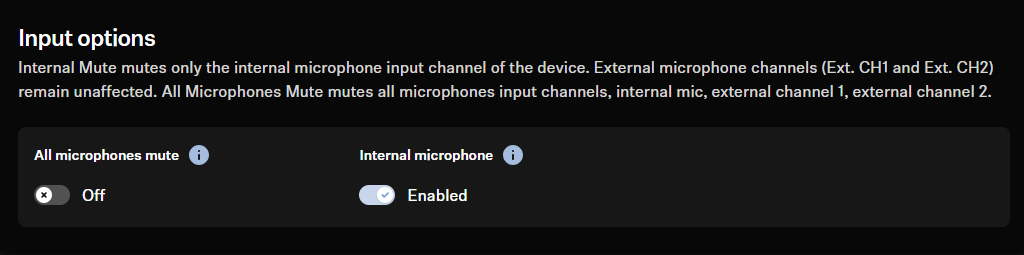
All microphones mute
Mutes all microphone input channels:
- Internal Mic.
- Ext. CH1
- Ext. CH2
Internal microphone mute
Mutes only the internal microphone input channel of the device. External microphone channels (Ext. CH1 and Ext. CH2) remain unaffected.
Location Based Mute (available for Control Cockpit only)
You can mute several devices in a room at the same time by using the mute switch on any transmitter. To do this, you need to add the device to the mute group for the location.
On a routed TCC M, unwanted echoes can occur when using the Location
Based Mute function during a conference since the microphone input stream is
paused. Therefore the AEC cannot estimate the impulse response.
In addition, we recommend setting the LED Brightness of the TCC M to 0 when using the regular mute function via the TC Bar, as the mute function is only displayed on the TC Bar and not on the TCCM.
Deactivated
- The TC Bar is not part of a mute group.
- Muting or unmuting does not affect other transmitters.
Part of group
- Activate this function to add the TC Bar to a mute group.
- If then one of the transmitters in this mute group is muted or unmuted, all other transmitters in the same mute group of the same location will also be muted and unmuted simultaneously.
- This allows you to create a separate mute group for each location.