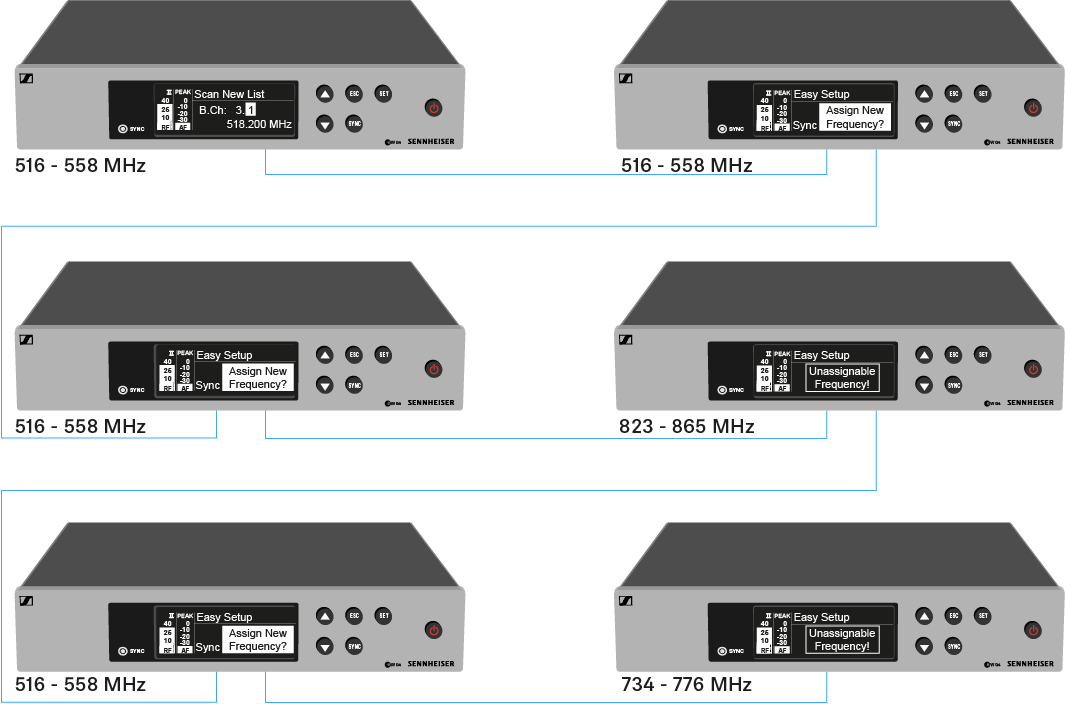
To perform the automatic frequency setup for multiple receivers (max. 12) simultaneously:
-
Connect all of the receivers to one network. See Creating a data network.
-
Open the Easy Setup menu item on one of the receivers.
This receiver is the master. You can choose any receiver to be the master.
-
Perform the frequency scan on the master receiver as under Scan New List.
After the scan, the display panels of the other receivers will display the message
Assign New Frequency?.
Receivers with non-compatible frequency ranges will display the message Unassignable
Frequency!.
-
Select an unused frequency for the first receiver on the master receiver.
-
Press the SET button on the receiver that you would like to assign this frequency to.
-
Use this procedure to assign a frequency to each connected receiver, one after another.
-
For the last step, assign a frequency to the master receiver.
This completes the multi-channel frequency setup.