
Product overview
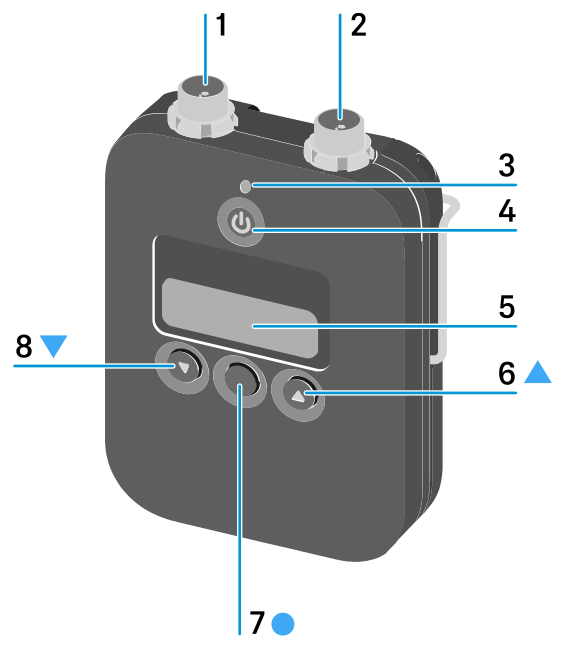
- 1 3-pin audio connector
- See Connecting a microphone to the SK 6212 bodypack transmitter
- 2 Antenna socket
- See Mounting the antenna
- 3 Power LED
- See Switching the SK 6212 on and off
- 4 ON/OFF (ESC) button
- Switch the transmitter on or off
- 5 Display panel
- See Displays on the SK 6212 bodypack transmitter display panel
- 6 UP button
- Navigate through the transmitter operating menu
- 7 SET button
- Open a menu item
- 8 DOWN button
- Navigate through the transmitter operating menu