Installation
To insert the batteries:
- Push the catch of the battery compartment in the direction of the flashmount adapter and open the battery compartment.
-
Insert the batteries as shown in the diagram. Observe correct polarity when inserting the battery.
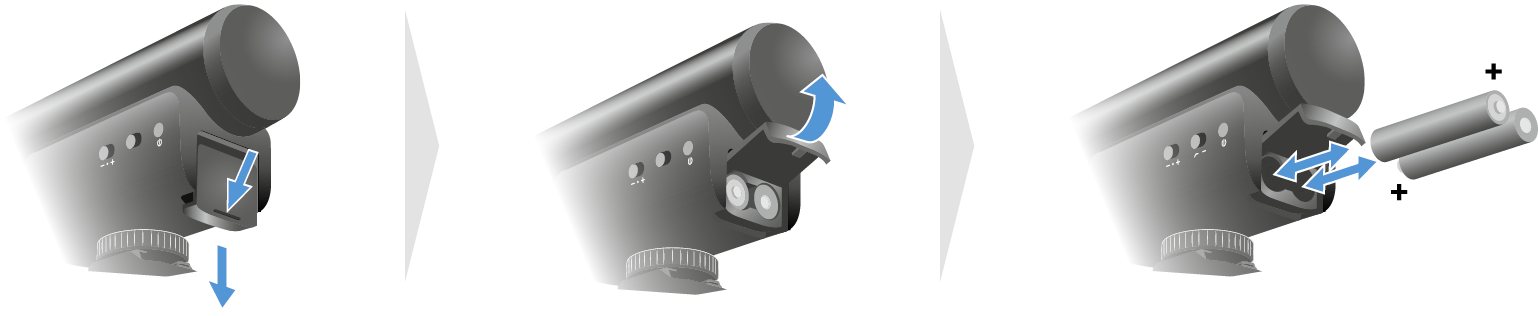
- Close the battery compartment.
To connect the microphone to the camera:
- Insert the screwable plug of the camera cable into the microphone’s socket and tighten the plug.
- Slide the microphone into the camera’s hot shoe and tighten the knurled wheel.
-
Insert the other plug of the camera cable into the Audio IN jack on the camera.
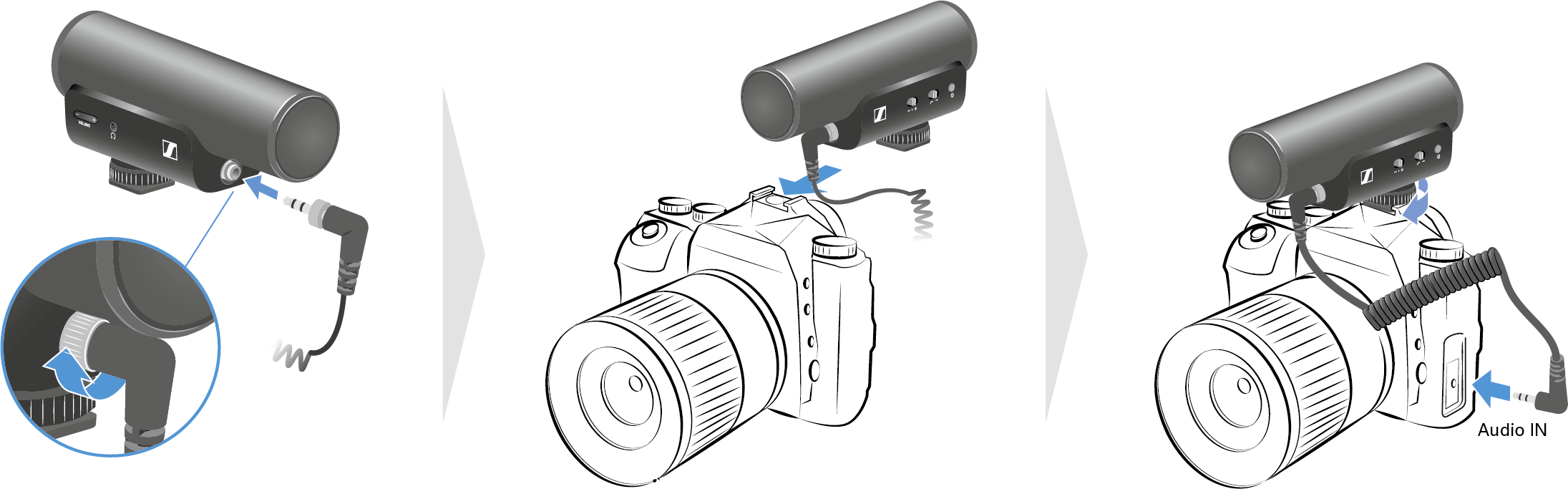
The microphone is on when the camera is switched on.
To connect the microphone to a mobile phone:
- Insert the screwable plug of the mobile phone cable into the microphone’s socket and tighten the plug.
- Slide the microphone into the slot of the mobile phone holder and tighten the knurled wheel.
-
Insert the other plug of the mobile phone cable into the smartphone’s jack.
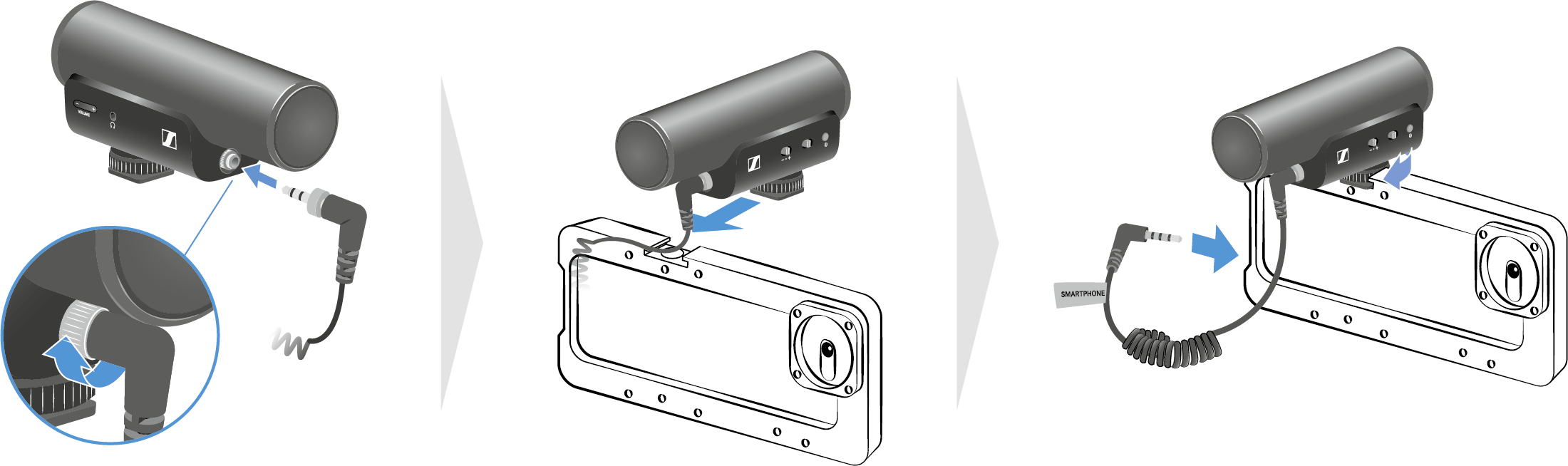
- We recommend that you set the mobile phone to flight mode.
To connect a headphone to the microphone:
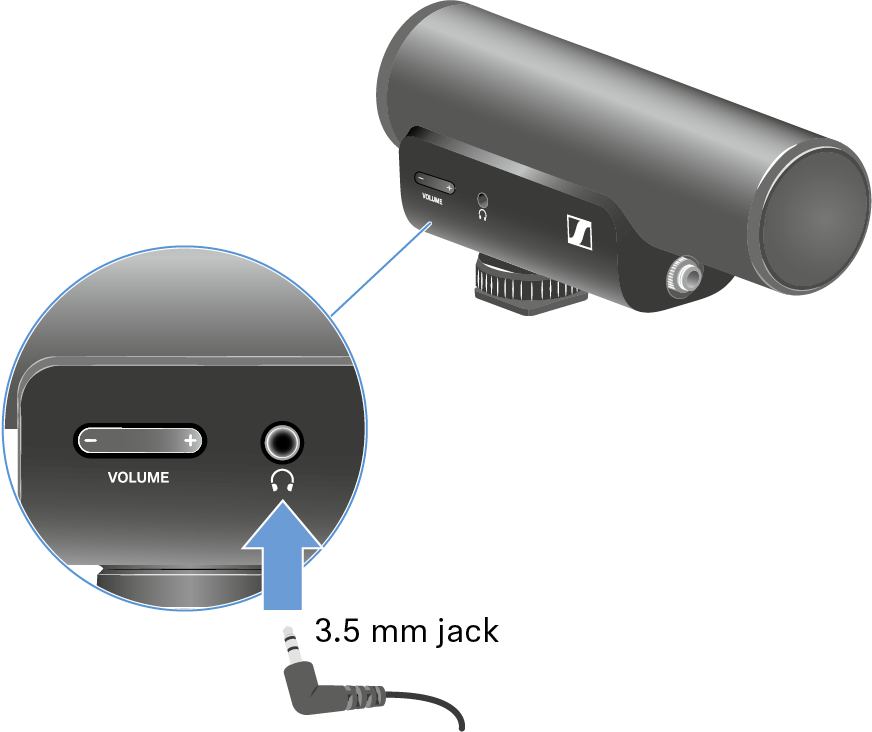
- Connect the headphone (3,5 mm jack) to the headphone output.
-
Control the volume by pressing the buttons + and -
Volume.