
General notes
Drilling template
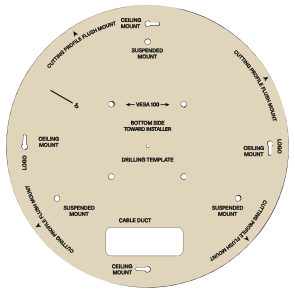
- Use the drilling template (item no. 594561) included with delivery to draw the drill holes and the circumference of the device.
Camera orientation
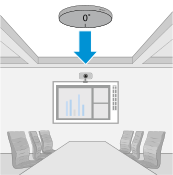
- Make sure that the microphone is aligned before mounting. This is indicated by the "0°" mark.
Replacing the logo plate
If you want to replace the logo plate on the front of the microphone:
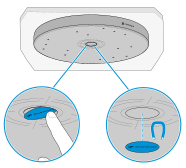
- Push the side of the plate so that it tilts out.
- Remove the plate from the housing.
- Insert the new plate. The magnet will hold it in place.