Configuring the TeamConnect Ceiling Medium with the Sennheiser Control Cockpit
Contrary to the TeamConnect Ceiling 2, the TeamConnect Ceiling Medium is delivered with muted microphones. It is therefore necessary to configure the device in the Sennheiser Control Cockpit and unmute the microphones before using it for the first time (see Configuring the TeamConnect Ceiling Medium with the Control Cockpit).
- Connect to the network
- Download the Sennheiser Control Cockpit
- Initialize the device in the Control Cockpit (default password is “sennheiser”)
- Set a new password
- Configure the device and unmute the microphones
Downloading Sennheiser Control Cockpit
To use the Sennheiser Control Cockpit, you must complete a one-time registration with your e-mail address to receive the software activation code.
Claiming the TeamConnect Ceiling Medium for a specific Control Cockpit instance (network solution)
To set up the device’s initial configuration, you have to connect directly to the network via the LAN cable (RJ45).
-
Open Control Cockpit and click on the “Device list” view.
The new device is automatically detected and displayed as “Not claimed.” If the device does not appear in the device list, add the device manually by entering an IP address.

Please note that the device must be claimed before its full range of functions are available. -
Click “Claim device” and enter the default password “sennheiser”.
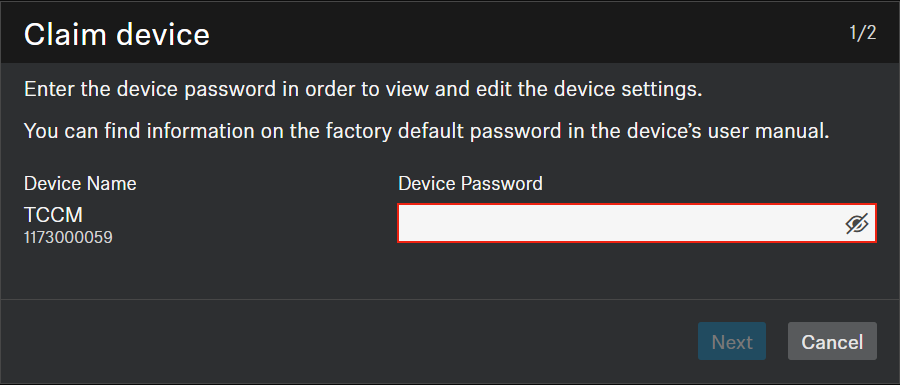
If the device has been previously claimed by another instance of Control Cockpit, enter the password set previously.If you do not remember the previous password, please perform a hardware reset of the device and try again with the default password.
To ensure secure access to the device, you will immediately be prompted to enter a new password.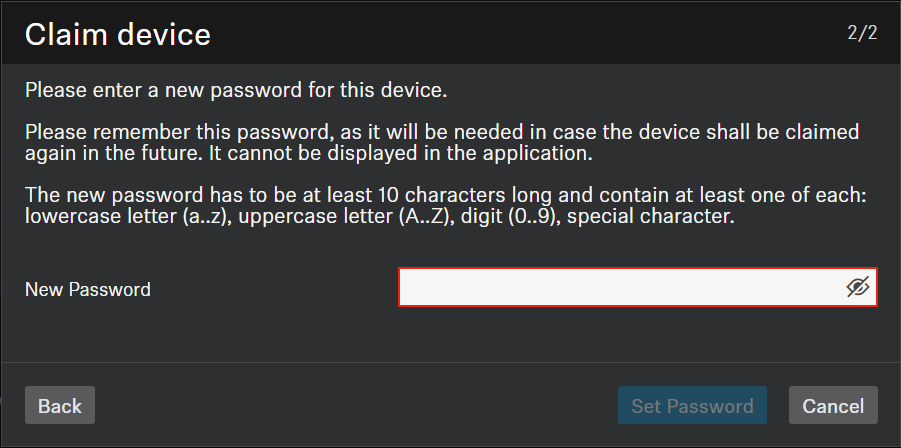
Configuring the TeamConnect Ceiling Medium with the Sennheiser Control Cockpit
There are two ways to operate the TeamConnect Ceiling Medium using the Sennheiser Control Cockpit:
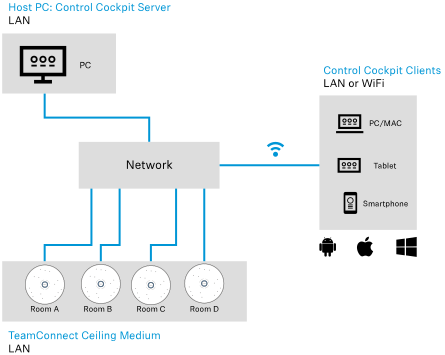
- Variant 1: integrated in an existing network
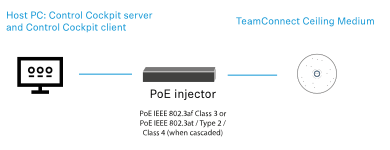
- Variant 2: as a standalone solution with a PC and a PoE-capable network switch
-
Any browser-capable device in the network (e.g. PC/Mac, tablet or smartphone) can operate the product using the Control Cockpit Client, which is accessed at a specific URL in the browser.
The online help contains detailed information about the functions of the Sennheiser Control Cockpit and how to configure the TeamConnect Ceiling Medium and the network. The online help can be found on the Sennheiser Control Cockpit product page (sennheiser.com/control-cockpit) and in the software itself. -
Connect the network switch to the Ethernet PoE/Ctrl socket on the TeamConnect Ceiling Medium.