
Starting Bluetooth® pairing
The pairing process can be started using the Bluetooth® button.
Please note that Bluetooth® is deactivated in the factory settings. To create a
Bluetooth® connection with a device that is capable of Bluetooth®, you must activate
the Bluetooth® function in the Control Cockpit and then start the pairing process
(Activating Bluetooth®).
There are several ways to start the Bluetooth® pairing process:
- Using the Sennheiser Control Cockpit software
- Using the initialization button on the TC Bar
- Using the remote control
To start Bluetooth® pairing using the Sennheiser Control Cockpit
software:
-
Under Bluetooth®, click the switch
Start.
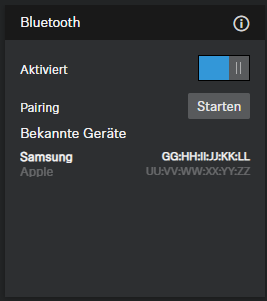
The blue LED flashes. Bluetooth pairing is activated. The device is in pairing mode and can be connected to a device that is capable of Bluetooth.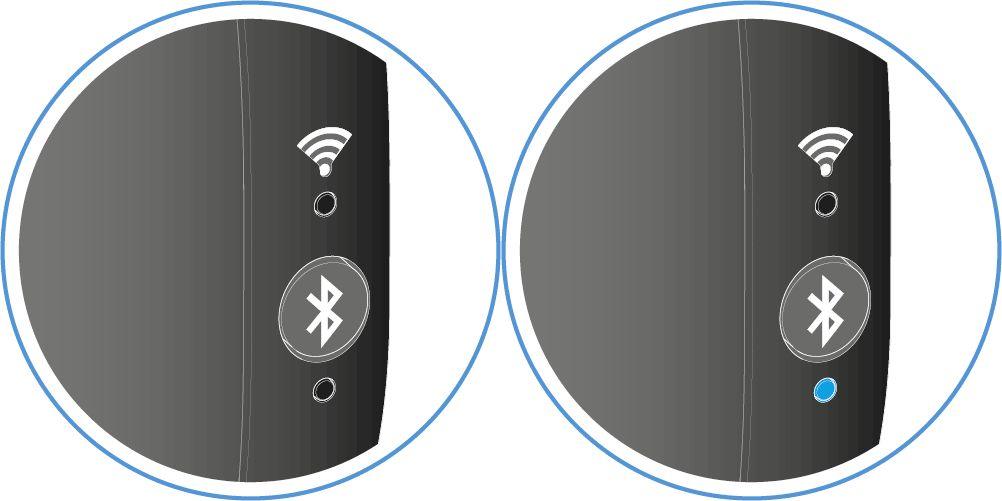
To start Bluetooth® pairing via the TC
Bar:
To start Bluetooth® pairing via the remote control:
-
Press the Bluetooth® pairing button on the remote control for at least three
seconds.
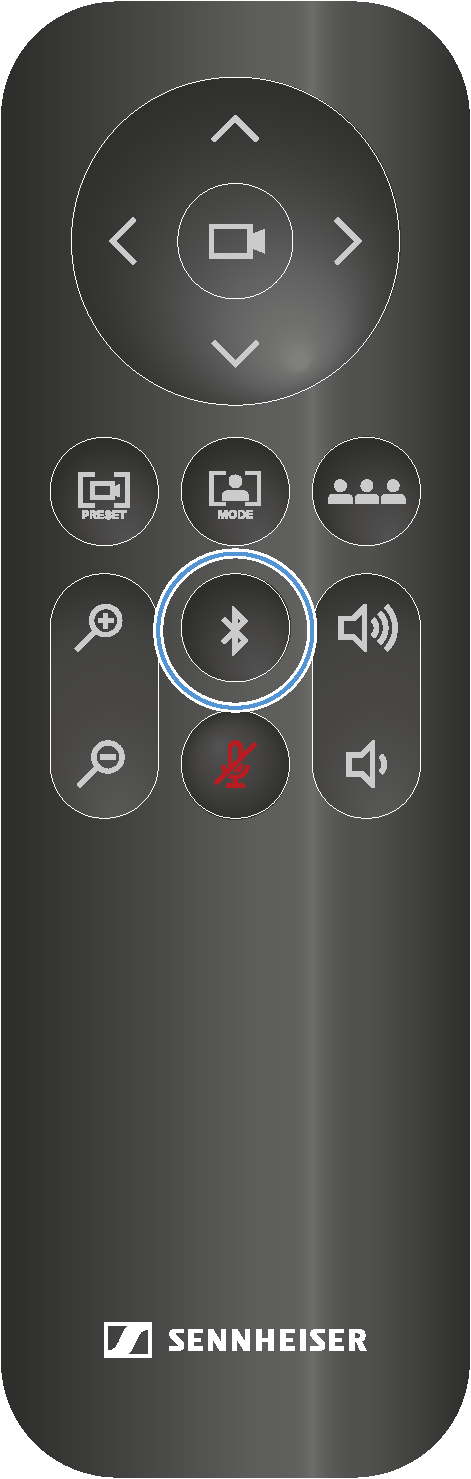
The blue LED flashes. Bluetooth pairing is activated. The device is in pairing mode and can be connected to a device that is capable of Bluetooth.