
Local Web UI (LUI)
LUI provides a user-friendly platform for interacting with system functionalities and features.
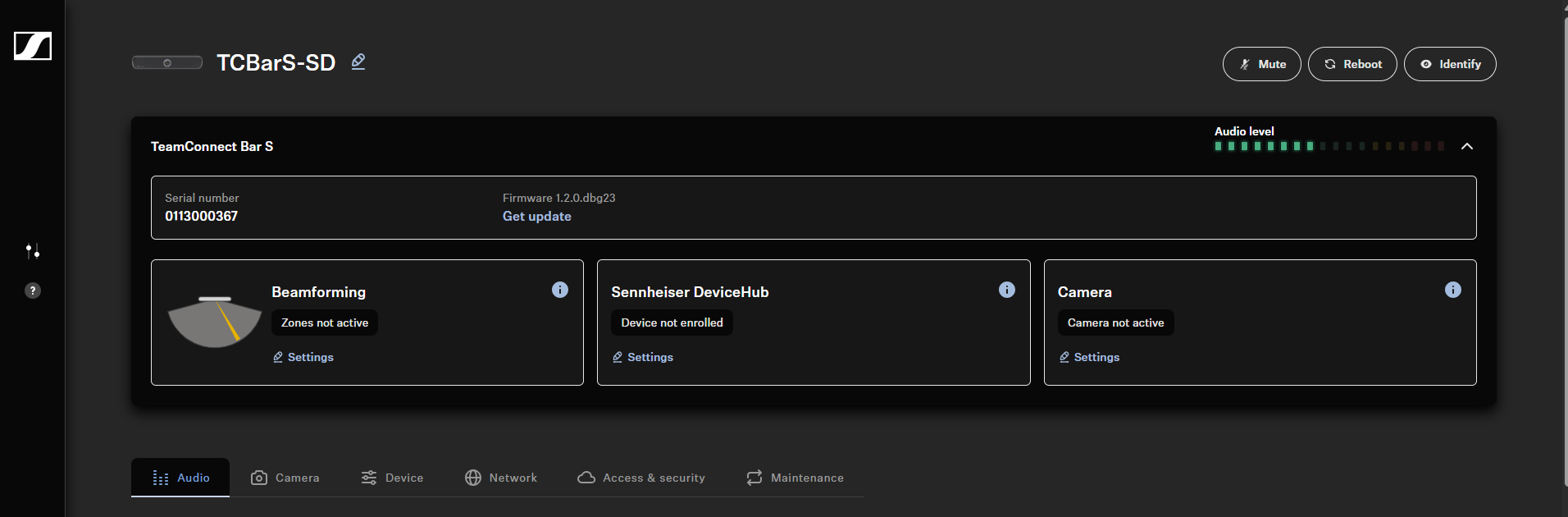
With LUI, you can perform the following actions on the TC Bar:
Initial configuration
Audio
- Selecting a sound profile
- Setting the internal microphone noise gate
- Handling auto mix priority
- Configuring fade time
- Adapting far end output for TCC M
- Setting the volume (remote control)
- Muting internal TC Bar microphone
- Muting all microphones
- Enabling Dante® speaker output
- Activating location-based mute
- Resetting the audio settings
Zones
Device
Network
Camera
- Creating a user-defined device profile
- Setting the white balance
- Setting brightness
- Setting contrast
- Setting saturation
- Setting sharpness
- Activating lowlight compensation
- Activating backlight compensation
- Setting the anti-flicker frequency
- Setting the auto frame speed
- Setting the zoom speed
- Setting the panning and tilting speed
- Activating the functions for remote control
- Enabling auto framing
- Enabling person tiling
- Setting default camera mode
- Resetting camera settings