
Connecting the receiver
Connecting the receiver to the power supply system
Only use the included power supply unit (NT 12‑4 C or NT 2‑3) to connect the receiver to the power supply system.
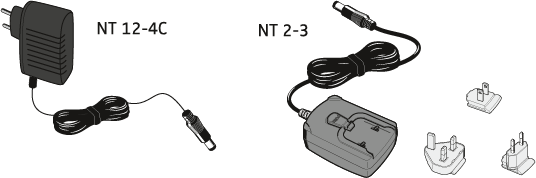
If you use the NT 2-3 power supply unit:
-
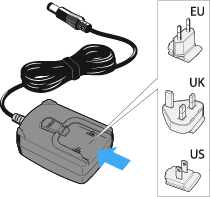
Slide the supplied country adapter onto the power supply unit.
-
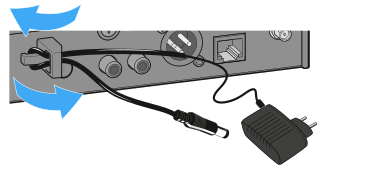
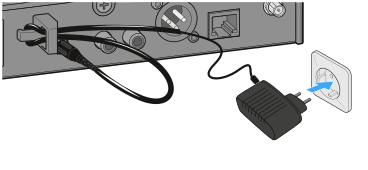
Pass the cable of the power supply unit through the strain relief grip as shown.
-
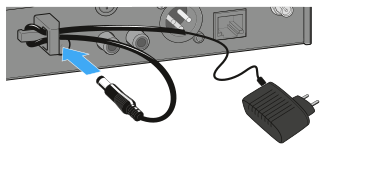
Connect the hollow jack plug of the power supply unit to the DC IN socket of the receiver.
-
Plug the power supply unit into the wall socket.
Connecting an amplifier or mixing console to the receiver
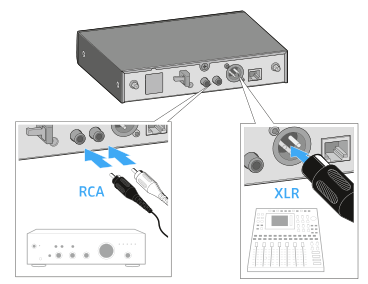
The unbalanced audio output (RCA) and the balanced audio output (XLR) at the rear of
the receiver are connected in parallel, allowing you to simultaneously connect two devices
(e.g. amplifier and mixing console) to the receiver.