
Charging the boundary microphone
To charge the boundary microphone via USB:
-
Plug the other end of the USB cable into a USB power supply unit.
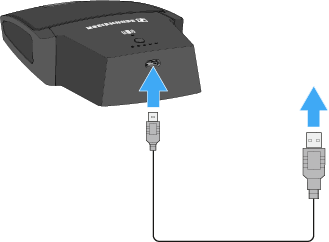
The charge level LEDs indicate the charge level.
To charge the boundary microphone using the CHG 2W charging base:
-
Place the boundary microphone on the CHG 2W charging base in the area marked.
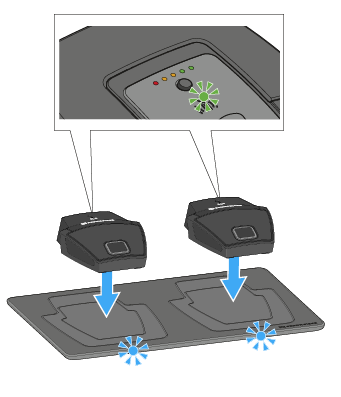
If the boundary microphone is positioned correctly on the charging surface, the alignment LED lights up green.The LEDs on the CHG 2W charging base flash blue during charging.
You can find more information about the CHG 2W wireless charging base under The CHG 2W charging base.
Charging the boundary microphone with a wireless Qi charging base from a third-party manufacturer
You can charge the SL Boundary 114-S DW with any charging base that uses the wireless Qi charging standard.