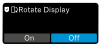
Rotate display feature
The receiver has a gyro sensor that, when the "Rotate Display" feature is enabled, can automatically rotate the display by 180 degrees. This feature is especially useful if you want to shoot videos in portrait layout with your smartphone or if the display is upside down due to the attachment of the receiver to a camera or smartphone.
Tip
To enable/disable the feature:If you want the orientation to be permanently rotated by 180 degrees, simply enable the feature, turn the receiver upside down and disable the feature again. Now the display permanently maintains this orientation.
To reverse this effect, simply enable the feature, move the receiver to the desired orientation and disable the feature again.
-
Then tap "On" or "Off" to enable/disable this feature.
The "Rotate Display" feature is now enabled/disabled.