
Ew 300-500 G4 synchronizing
You can synchronize ew 300-500 G4 series transmitters and receivers via the receiver’s infrared interface.
You can adjust the Parameters to be transferred to the transmitter here: Advanced -> Sync Settings menu item.
To synchronize the devices:
-
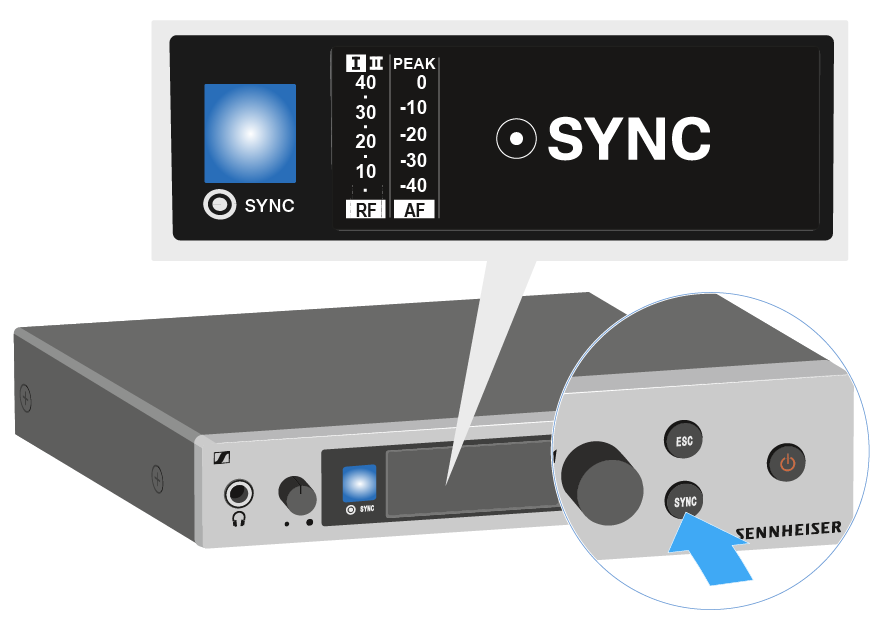
Press the SYNC button on the receiver.
Sync appears in the receiver’s display and the blue LED turns blue.
-
Hold the infra-red interface of the transmitter in front of the infra-red interface of the receiver.
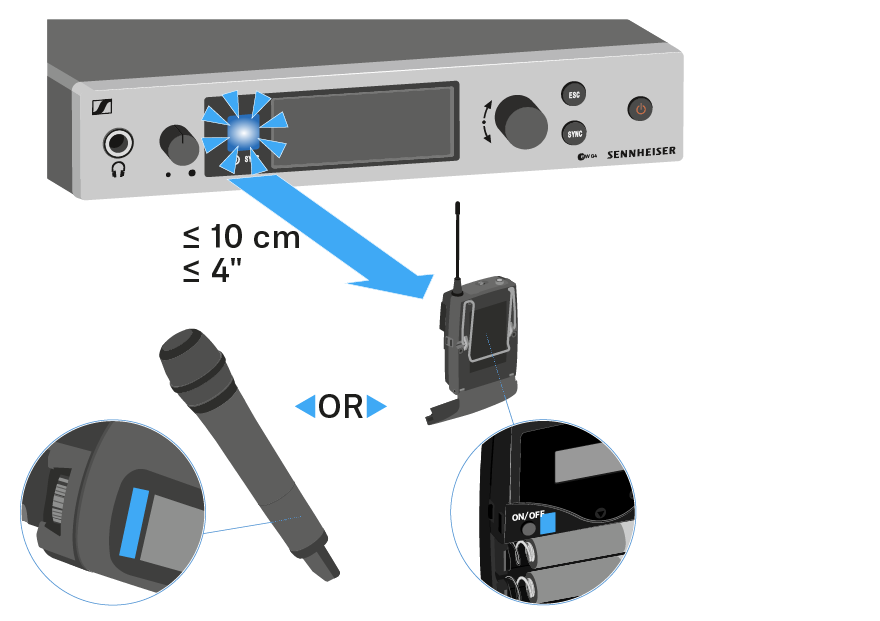
The parameters are transferred to the transmitter. The blue LED blinks during transmission.When the transfer is complete, a tick appears in the receiver’s display as a confirmation.
Then the receiver will return to the current standard display.
To cancel synchronization: