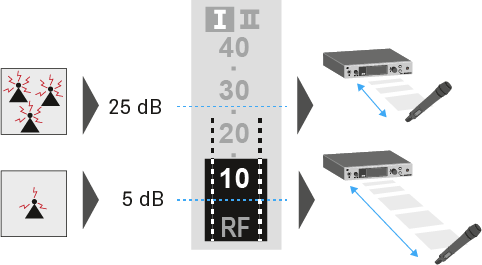
You can adjust the squelch threshold in the Squelch menu item.
Setting range:
5 - 25 dBµV
adjustable in 2 dB steps
The squelch threshold is displayed on the home screen in the RF signal level area.
CAUTION
Risk of hearing and material damage
If you set the squelch threshold to a very low value, a very loud hissing noise can occur in the receiver. This hissing noise can be loud enough to cause hearing damage or overload your system’s loudspeakers.
Before adjusting the squelch threshold, set the volume of the audio output to the minimum.
Never change the squelch threshold during a live transmission.
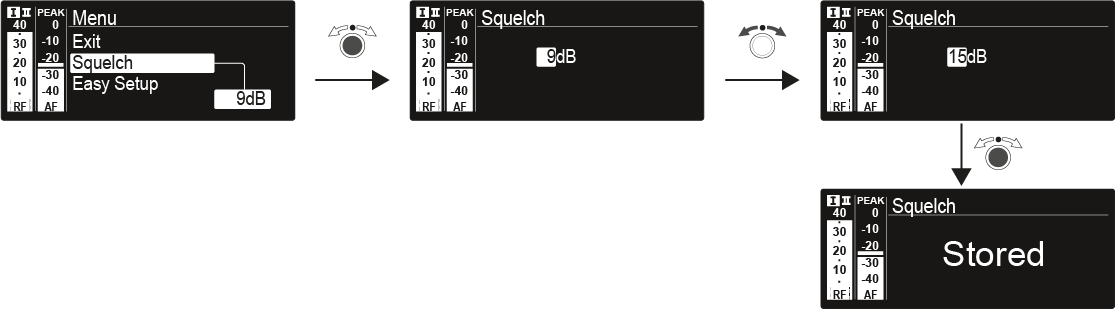
To open the Squelch menu item:
On the home screen, press the jog dial to open the operating menu.
Turn the jog dial until the Squelch menu item appears in the selection frame.
Press the jog dial to open the menu.
Adjust the settings as desired.
Press the jog dial to save your selection.
OR
Press the ESC button to cancel the entry without saving the setting.