
Creating a data network
You can monitor and control one or more EM 300-500 G4s via a network connection using Sennheiser Wireless Systems Manager (WSM) software.
Automatic frequency setup can also be performed over the network without the WSM software. See Easy Setup menu item.
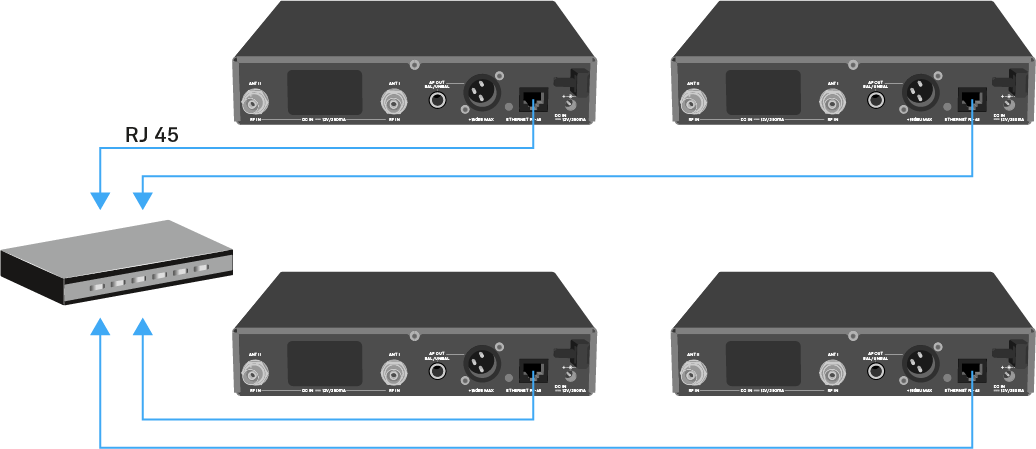
To connect the EM 300-500 G4 to a network:
- Connect a network cable with an RJ-45 connector (to the Ethernet socket on the rear side of the EM 300-500 G4.
-
Connect the other end of the network cable to a network switch.
For more information about controlling devices via the Sennheiser Wireless Systems Manager (WSM) software, refer to the instruction manual for the software. You can download the software here: sennheiser.com/wsm.