
Buttons for navigating the menu
Use the following buttons to navigate through the transmitter’s operating menu.
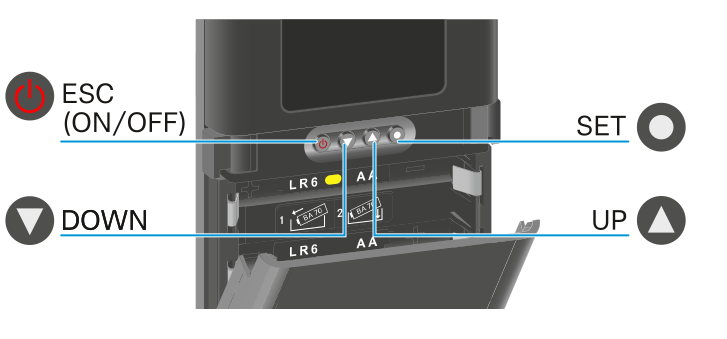
 Press the SET button
- Jumps from the home screen to the operating menu
- Calls up a menu item
- Saves settings
 Press the UP or DOWN button
- Changes to the previous or next menu item
- Changes the setting of a menu item
 Press the ESC (ON/OFF) button
- Cancels the entry and returns to the previous display