
Lock-off function
You can enable or disable the automatic lock-off function in the Auto Lock menu item (see Auto Lock menu item).
The lock-off function prevents the transmitter from being unintentionally switched off and also prevents any unintentional changes to the transmitter’s configuration.
If you have enabled the Auto Lock function, you will have to temporarily deactivate the lock-off function to operate the transmitter.
To temporarily deactivate the lock-off function:
-
Press the SET button.
Lock-off function is now temporarily deactivated.
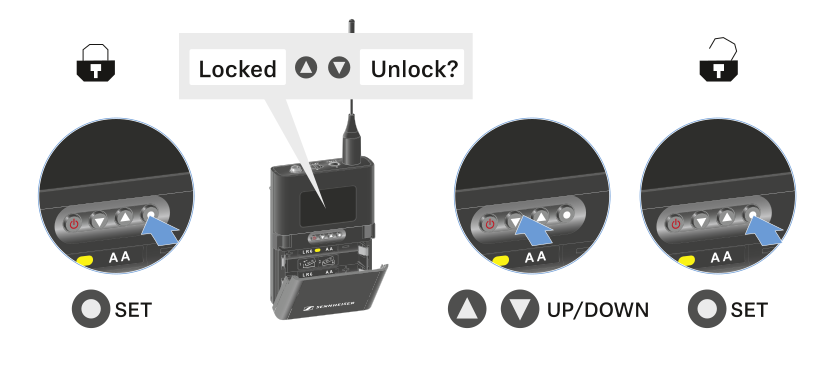
After 10 seconds of inactivity, it automatically activates again.