
Setting options on the front of the device
Navigation buttons
Use the following buttons to navigate through the receiver’s settings.
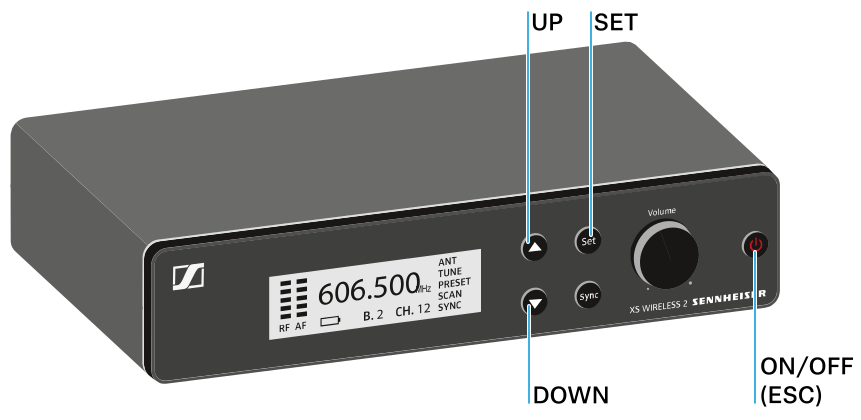
Press the UP or DOWN button
- Changes to the previous or next menu item
- Changes the setting of a menu item
Press the SET button
- Save settings in a menu item
Press the ON/OFF (ESC) button
- Cancel input