Setting frequencies/frequency bands
-
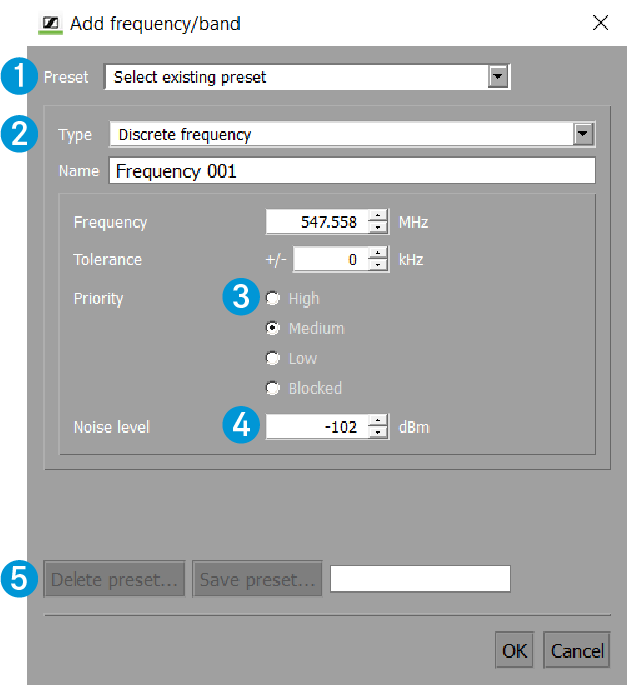
If required, save your settings as a presetor delete existing presets in area 5.
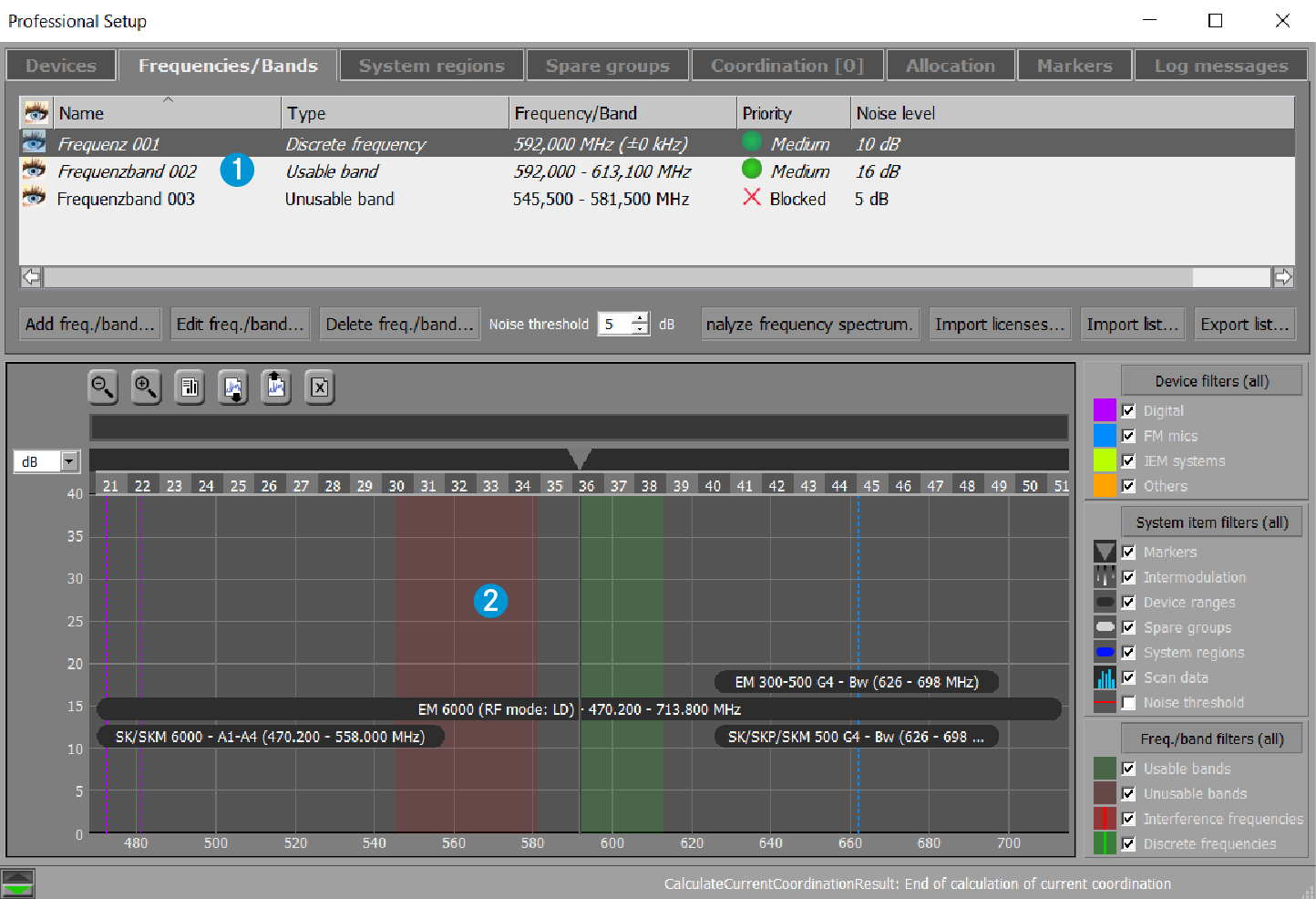
After confirming the “Add frequency/band” window by clicking on “OK” , the unusable frequency band 1 is displayed in the upper window area of the “Frequencies/Bands” tab.
In the graphical overview, the unusable frequency band 2 is highlighted in transparent red:
Note that the tolerances of discrete frequencies and Interference frequencies are given in brackets (e.g. +/- 500 kHz).