
Mounting the accessories bracket
The bracket for the remote control and the lens cap can be placed on a table or mounted on a wall.
Two double-sided adhesive strips and two optional screws are included in the delivery to attach the bracket to a wall.
Both sides of the adhesive strips adhere and can be attached to dry, clean, grease-free, smooth surfaces.
Attaching the bracket with adhesive strips
-
Remove the lower film from both adhesive strips and attach them to the intended surfaces on the rear side of the bracket.

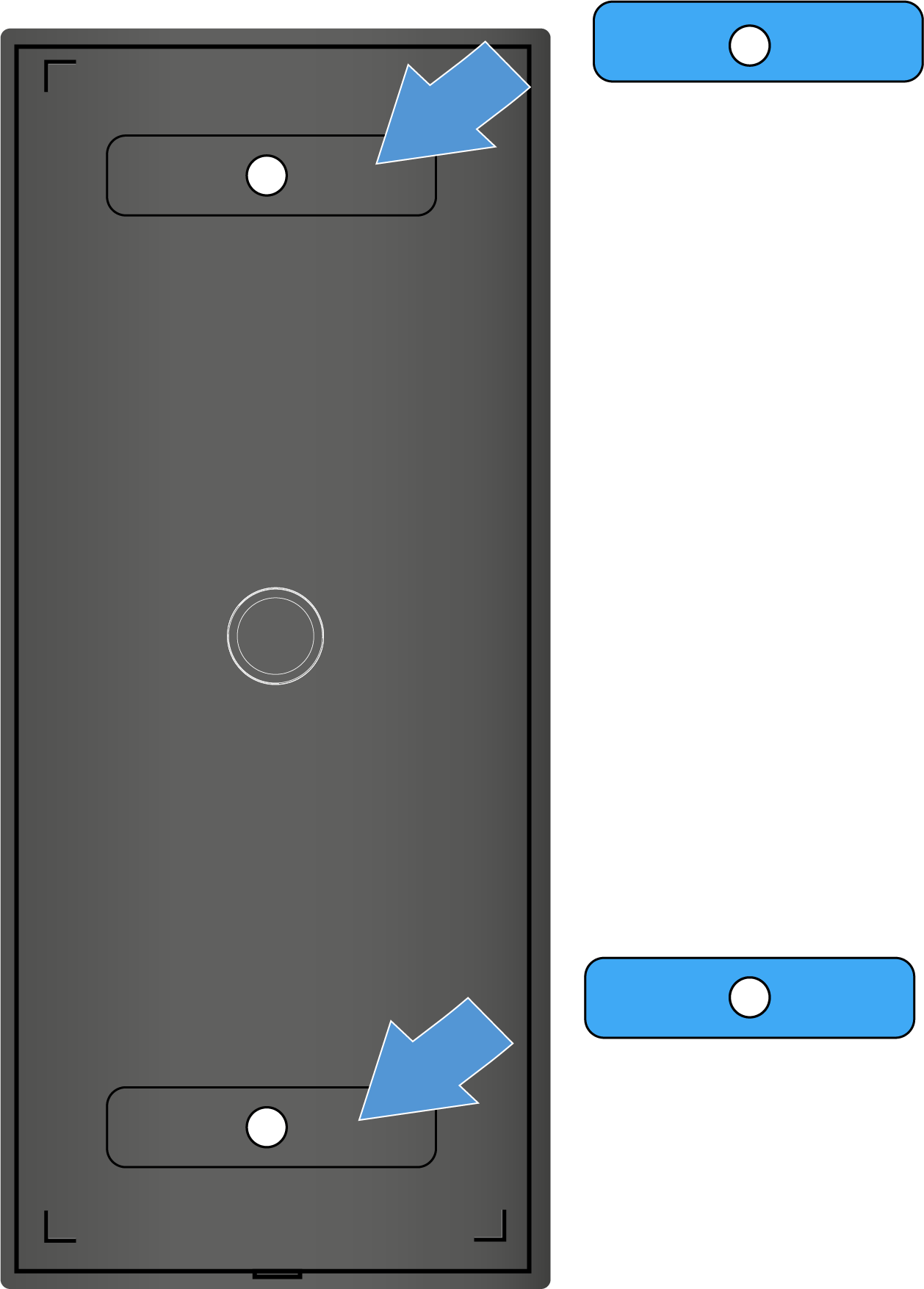
-
Remove the upper films from both of the attached adhesive strips.
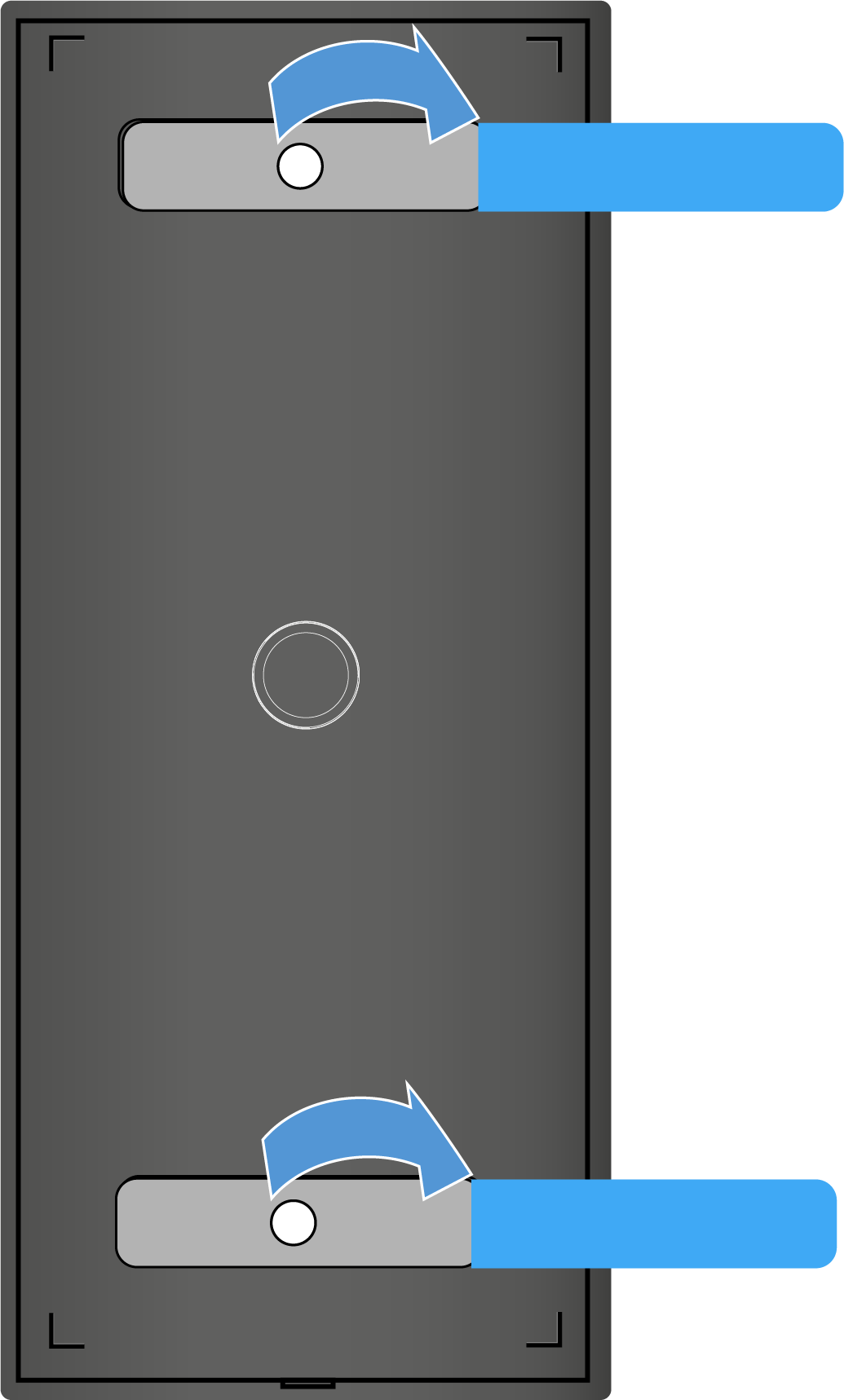
Make sure the surface that the bracket is supposed to attach to is mostly dry, smooth, and free of dirt and grease. If necessary, clean the surface before mounting the bracket. -
Adhere the bracket to the desired surface and hold the bracket pressed firmly in place for 10 seconds.
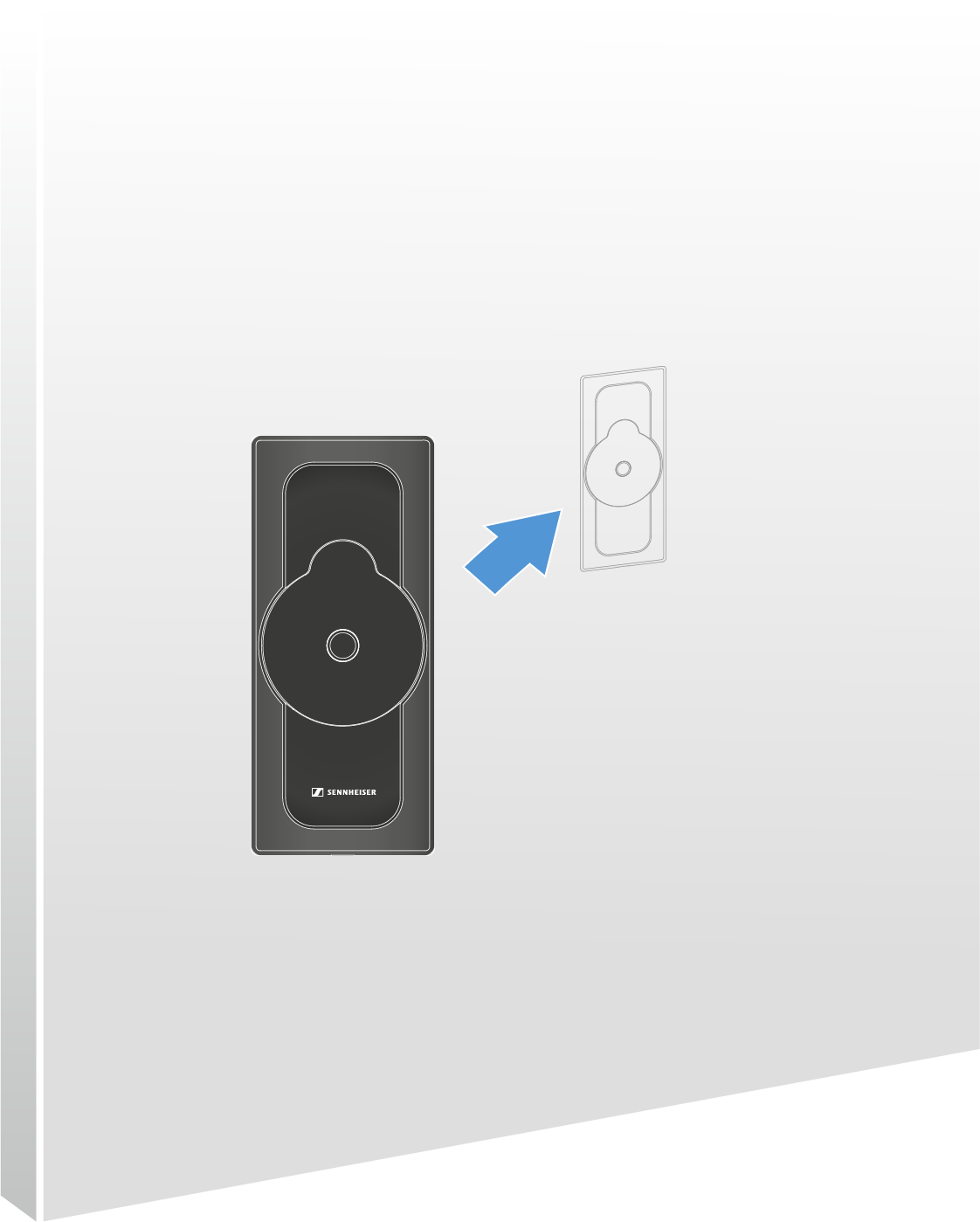
The bracket has been attached using the adhesive strips.
Attaching the bracket with screws
Note the material the wall is made of. Depending on the material it is made of, other screws (than the ones included in the delivery) and dowels (not included in the delivery) may be required.
-
Open the bracket’s housing by carefully loosening the appropriate locking point on the bottom of the plate and pulling it upward.
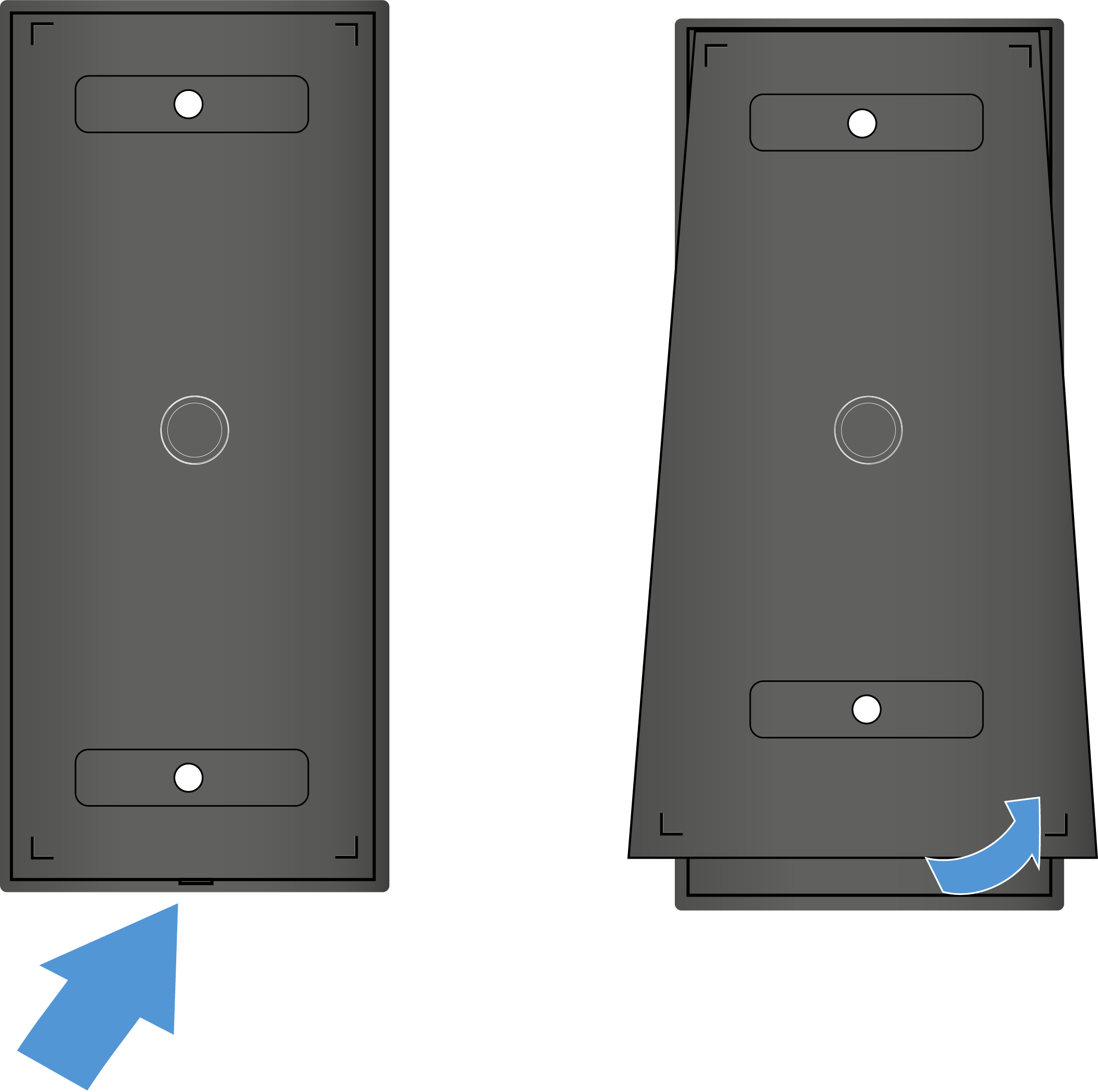
The bottom of the plate loosens.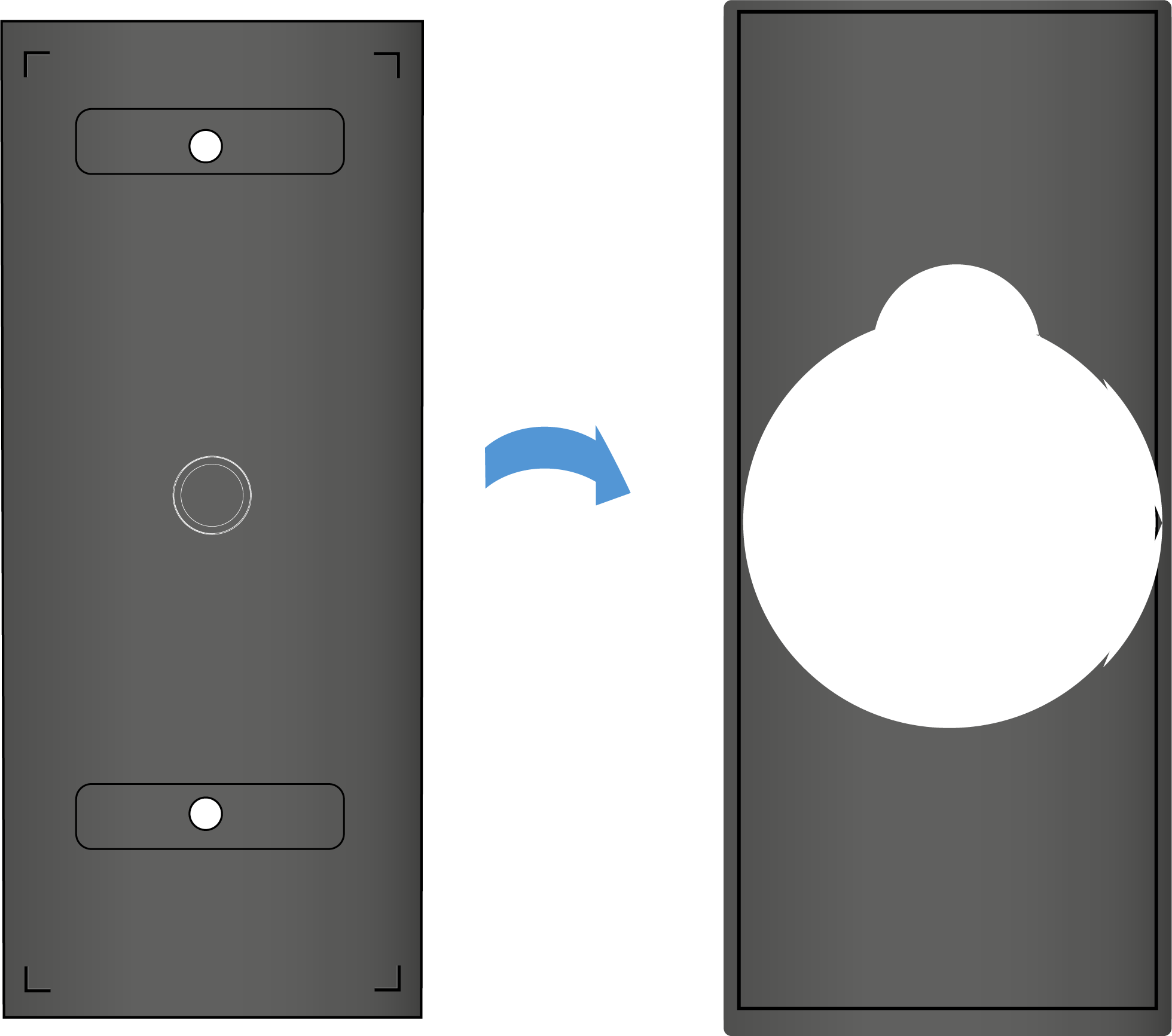
-
Guide the screws included in the delivery through the holes in the plate and tightly screw the bracket to the wall.
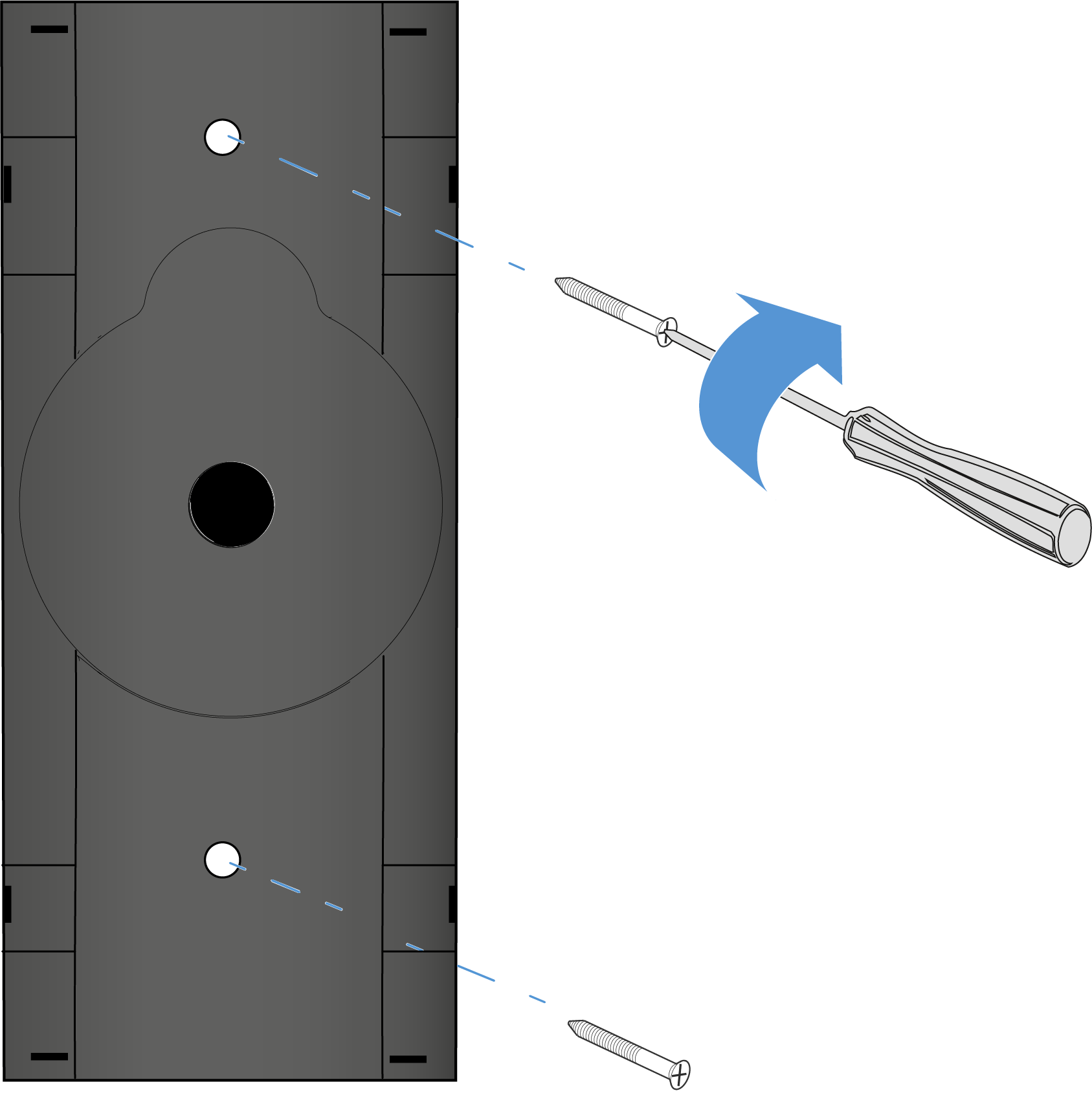
The plate has been attached to the wall. -
Insert the upper plate into the attached housing. Mind the lower locking point while doing so.
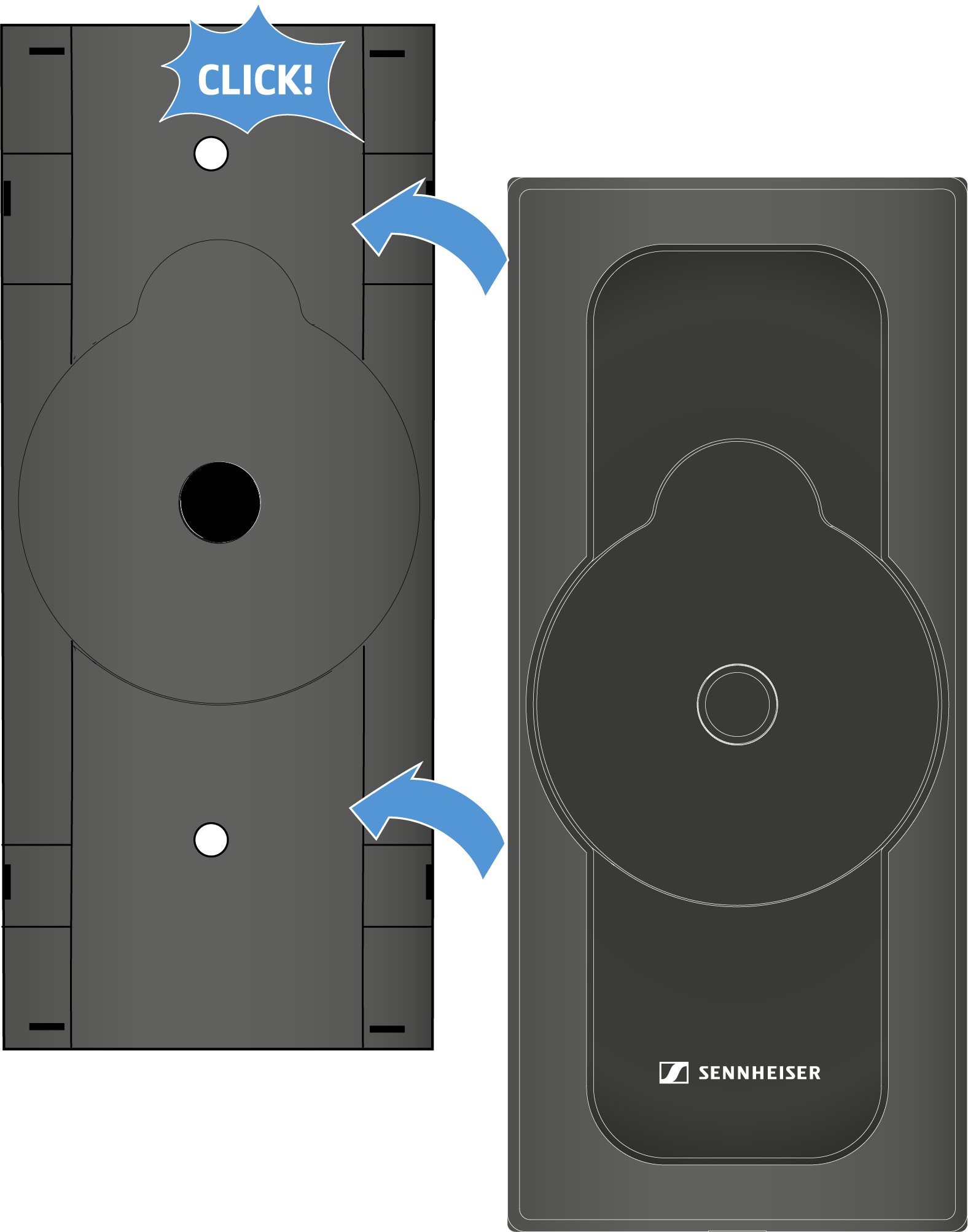
The plate and housing lock with a click.To remove the bracket, first loosen the locking point from the bottom using a flat head screwdriver. Then twist the screws out of the wall.