Multi-Room Mode setup with SL Multi-Channel Receiver DW only

When installing SpeechLine Digital Wireless in several rooms, it is crucial that you perform the following steps one after the other and room by room. When installing SpeechLine Digital Wireless devices in one room, all devices in all other rooms must be switched off.

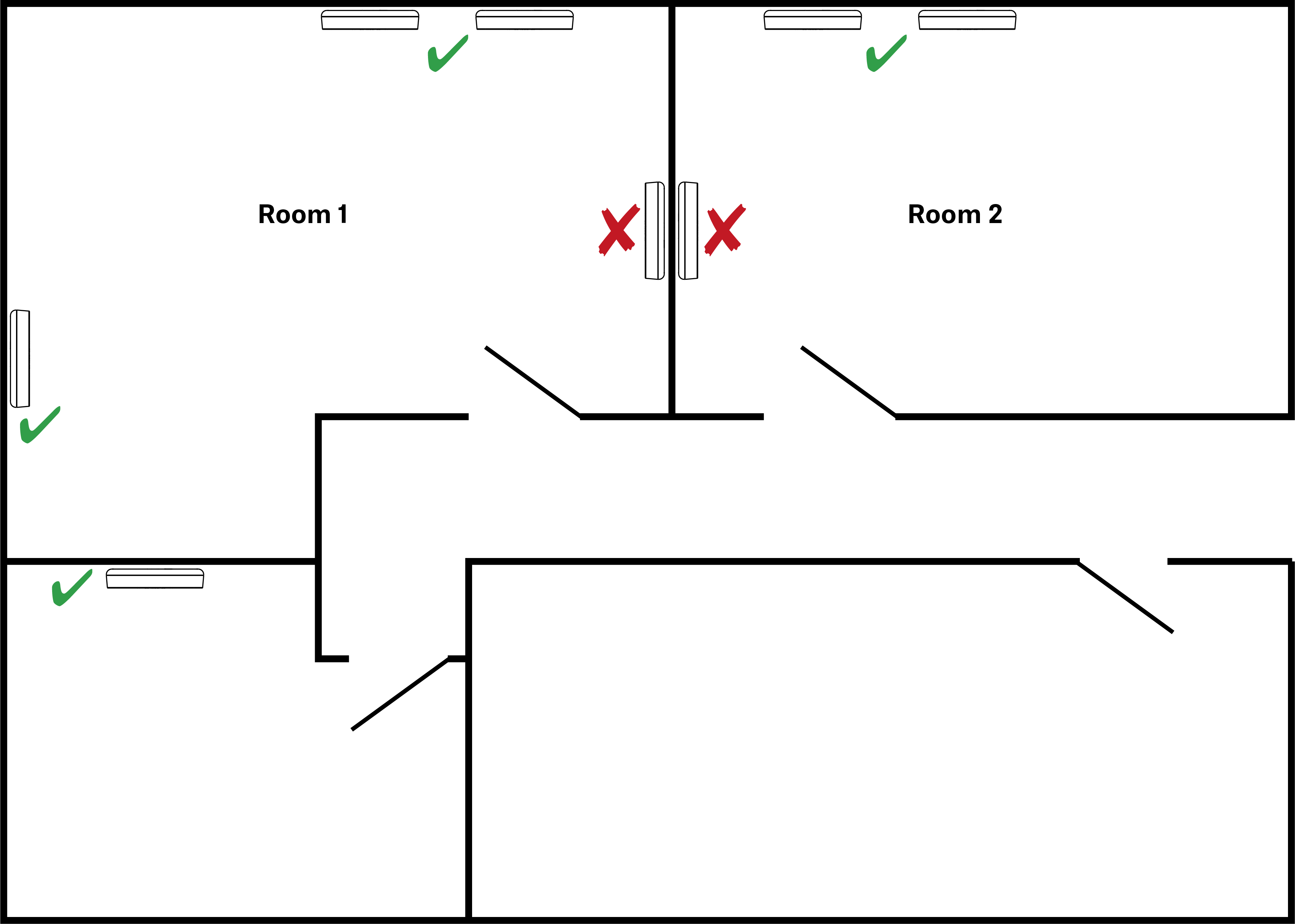
  1. Install all SL Multi-Channel Receiver DW units of one room to a wall or the ceiling with the front sides of the receivers facing into the room.
    Note: to ensure the Master/Follower functionality the receivers should be installed side to side and not back to back, as indicated in the following illustration.
  2. Connect a LAN cable supplying PoE to the Dante I / PoE / Ctrl RJ-45 socket of the first SL Multi-Channel Receiver DW (see Connecting the receiver).
    This receiver will become the Master.
  3. Pair all transmitters.
  4. Set the RF power level of the receiver to the recommended RF power level according to the room size as indicated in the Sennheiser Control Cockpit.
  5. Perform a walk test to ensure the best reception coverage.
  6. If necessary adjust the RF power level and repeat the walktest for verification.
  7. Connect a LAN cable supplying PoE to the Dante I / PoE / Ctrl RJ-45 sockets of all other SL Multi-Channel Receiver DW units of the room (see Connecting the receiver).
    They will synchronize with the Master.
  8. Set all other receivers to the same RF power level as the Master receiver.
  9. Switch off all devices in this room before setting up the devices in the next room.