Product overview
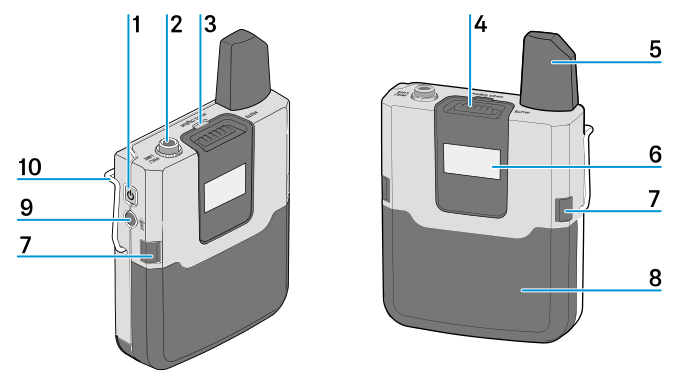
- 1 ON/OFF button
- Short-press to switch the bodypack transmitter on
- 2 MIC/LINE jack socket (3.5 mm)
- for connecting the clip-on or headset microphone
- 3 Status LED
- see Meaning of the status LED
- 4 MUTE switch
- see MUTE switch
- 5 Antenna
- 6 Display panel
- see Displays on the display panel
- 7 Unlock buttons
- for releasing the accupack or the battery compartment
- 8 BA 30 accupack
- see Removing/inserting the accupack
- 9 PAIR button
- Short-press to identify the paired transmitter
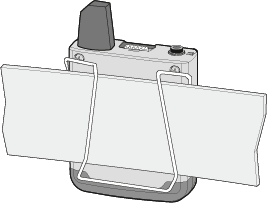
- 10 Belt clip
- You can use the belt clip to attach the bodypack transmitter to clothing (e.g. belt, waistband).
The bodypack transmitter should be attached so that the antenna is not covered, otherwise the
transmission range will be reduced.