Charging devices / checking charge levels
Receivers and transmitters charge automatically when they are inserted into the charging bar (see Inserting/removing the receiver and transmitter). Alternatively, they can also be charged separately via USB-C.
To charge the charging bar:
-
Connect a power source (e.g. power supply unit or power bank) to the charging bar via USB-C. The USB-C jack is located above the adaptor storage compartment.
We recommend the power supply unit NT 5-20 UCW (art. no. 508996).The charging bar now begins charging.

To charge the receiver via USB-C:
-
Connect a power source (e.g. power supply unit or power bank) to the receiver via USB-C.
The receiver will now begin charging.

To charge the transmitter via USB-C:
-
Connect a power source (e.g. power supply unit or power bank) to the transmitter via USB-C.
The transmitter now begins charging.

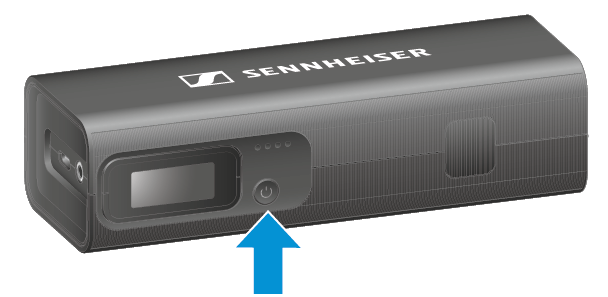
To check the charge level of the devices:
-
Briefly press the ON/OFF button on the charging bar.
The LEDs on the charging bar show the current charging status of the charging bar. The receiver display shows the charge levels of all devices.