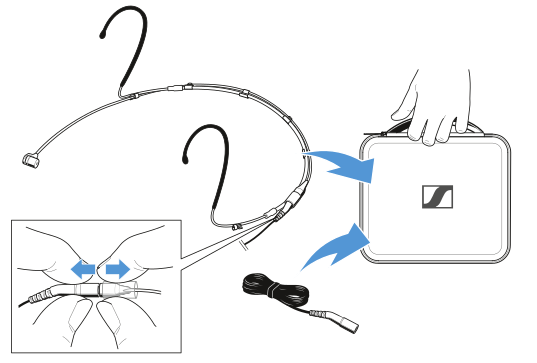
Headmic 4
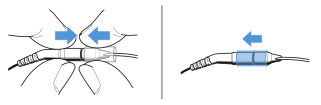
To connect the headworn microphone with the cable:
- Plug the connector into the socket.
-
Slide the silicone tube onto the
connector.
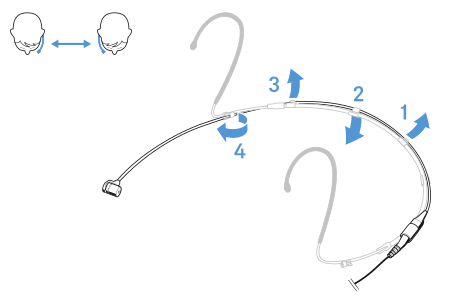
To change the microphone position:
| NOTICE | |
|---|---|
-
Remove the microphone boom from the neckband as shown in the illustration.
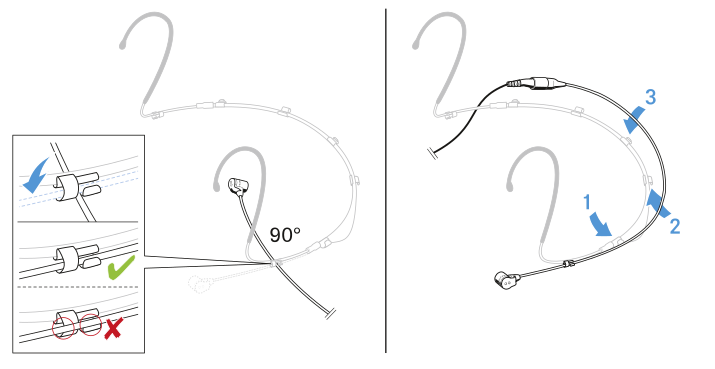
-
Insert the microphone boom into the neckband as shown in the illustration.
To connect the microphone:
- Insert the cable’s plug into the socket of the bodypack transmitter.
-
Screw the plug’s coupling ring onto the audio socket thread of the bodypack transmitter.
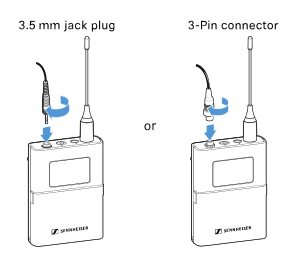
To adjust the microphone:
-
If necessary, adjust the size of the neckband by moving the ear hooks.
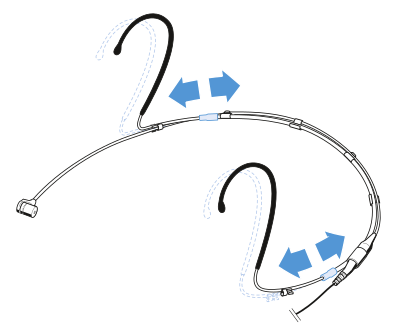
-
If necessary, gently bend the ear hook.
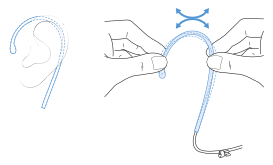
To position the microphone:
-
Carefully bend the microphone boom (not the microphone head) so that the microphone is positioned next to the mouth.
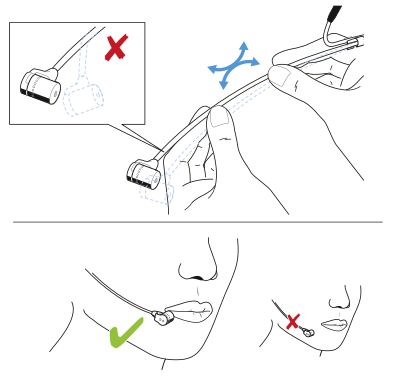
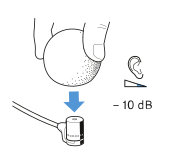
To use the windshield:
-
Slide the windshield MZW 44 over the microphone head.
To attach the microphone to a clip:
-
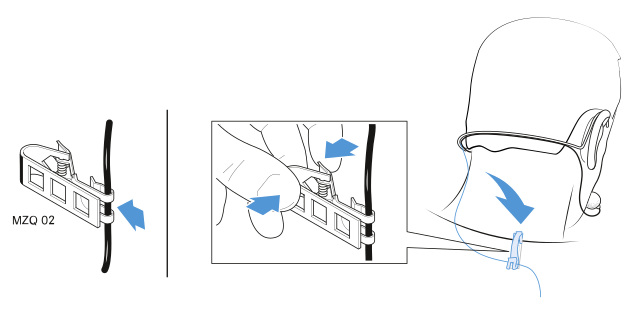
Attach the microphone to the clip MZQ 02 (optional accessory) as shown in the illustration.
To transport the microphone:
- Slide the silicone tube aside.
- Pull the connector and the socket apart.
-
Place the microphone and the cable separately into the soft case.