Headmic 1
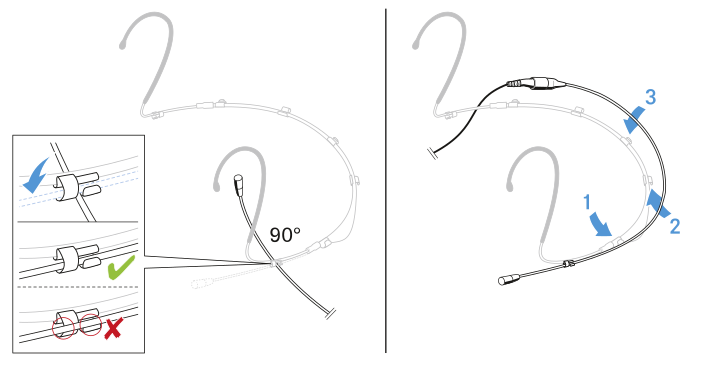
To change the microphone position:
| NOTICE | |
|---|---|
- First remove the microphone boom from the three clips.
-
By turning the microphone boom, remove it from the fourth clip.
- First attach the end of the microphone boom where the microphone head is fitted to the clip on the desired side of the neckband.
-
Press the microphone boom into the three clips.
To use the frequency response caps:
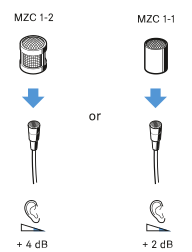
The frequency response caps allows you to adjust the microphones sensivity in the presence area (see specifications Headmic 1).
-
Slip the frequency response cap (depending on the model, included in the scope of delivery or available as an optional accessory) onto the microphone until it locks into place with an audible click.
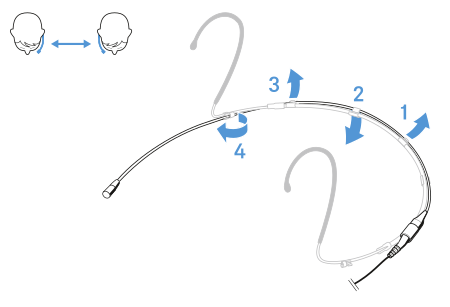
To adjust the microphone:
-
If necessary, adjust the size of the neckband by moving the ear hooks.
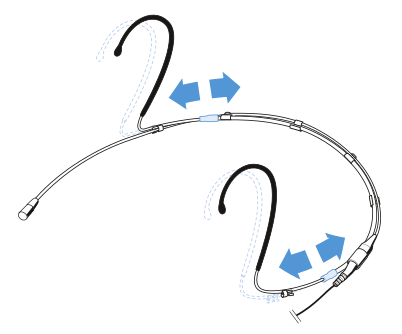
-
If necessary, gently bend the ear hook.
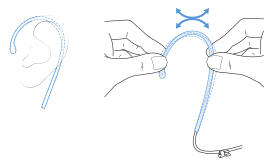
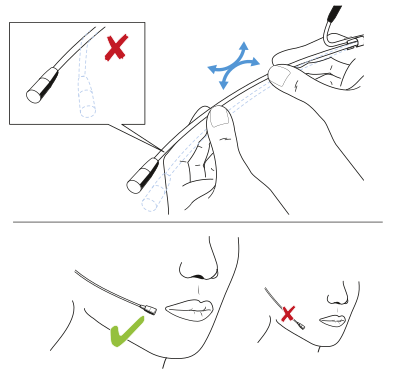
To position the microphone:
-
Carefully bend the microphone boom (not the microphone head) so that the microphone is positioned next to the mouth.
To use the windshield:
-
Slide the windshield SLMZW 1 over the microphone head.
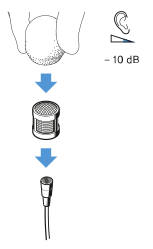
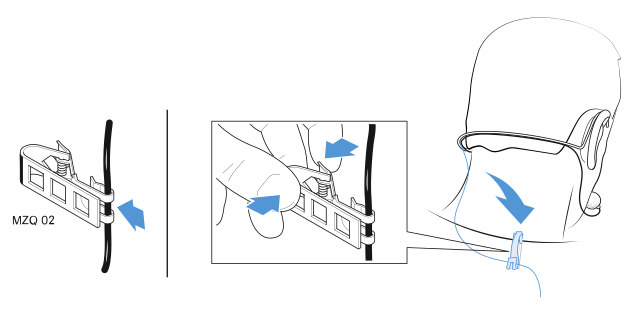
To attach the microphone to a clip:
-
Attach the microphone to the clip MZQ 02 (optional accessory) as shown in the illustration.