HSP 2
To change the microphone position:
| NOTICE | |
|---|---|
-
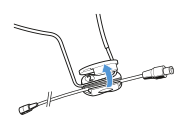
Open the clip.
-
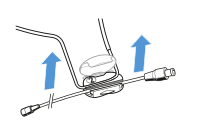
Remove the microphone boom.
-
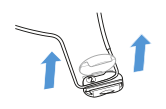
Remove the ear hook.
-
Insert the microphone boom the other way around.
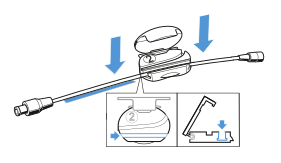
-
Slide the microphone boom in the correct position.
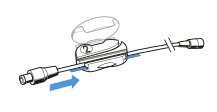
-
Insert the ear hook.
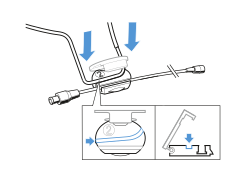
-
Close the clip.
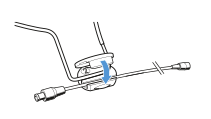
To use the frequency response caps:
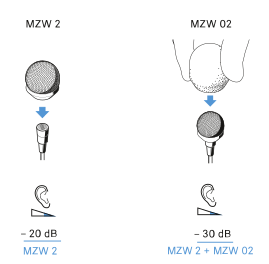
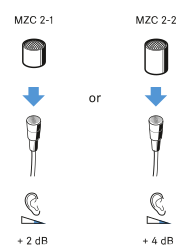
The frequency response caps allows you to adjust the microphones sensivity in the presence area (see specifications HSP 2).
-
Slip the frequency response cap onto the microphone until it locks into place with an audible click.
To connect the microphone:
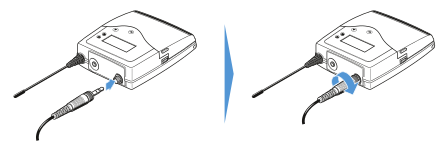
- Insert the cable’s plug into the socket of the bodypack transmitter.
-
Screw the plug’s coupling ring onto the audio socket thread of the bodypack transmitter.
To adjust the microphone:
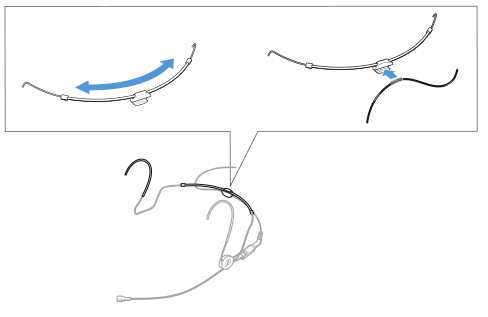
- If necessary, gently move the neckband.
-
Press the cable into the clip.
-
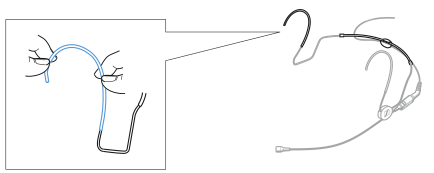
If necessary, gently bend the ear hook.
To position the microphone:
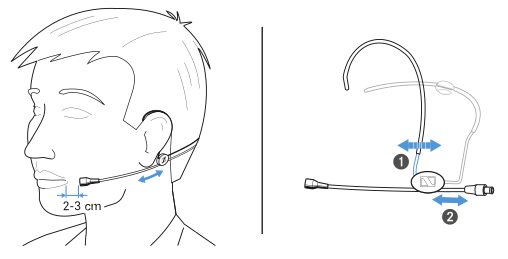
- Push the microphone boom in backwards or forwards in the clips so that the microphone is positioned 2 to 3 cm from the corner of the mouth.
-
Move the ear hooks for a snug fit.
To use the windshield:
-
Slide the windshield (optional accessory) over the microphone head.