
Connecting audio signals
You can connect mono or stereo signals via the two input sockets BAL AF IN L(I) and BAL AF IN R(II).
To do so, the SR IEM G4 must be configured for mono or stereo operation in the menu. See Mode menu item.
In stereo mode, you can receive the two input signals either as a mixed mono signal or as a stereo signal. To do so, you must select Focus or Stereo mode on the EK IEM G4 receiver.
See Mode menu item.
Mono
-
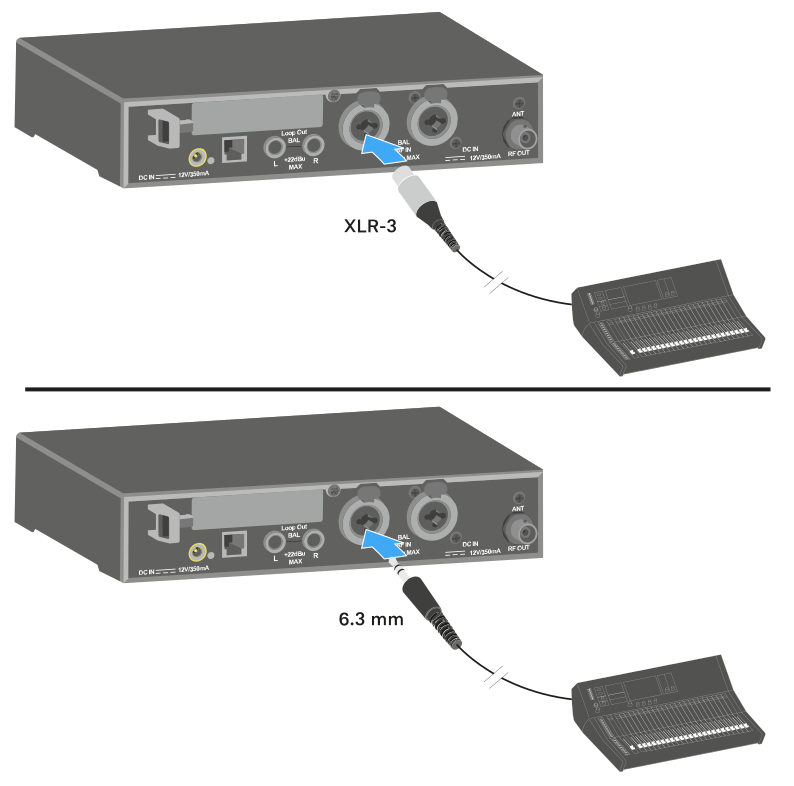
Connect the output of an external device (e.g. a mixing console or another SR IEM G4) to the audio input socket BAL AF IN L(I) + MONO using a suitable cable.
In mono mode, the corresponding EK IEM G4 receiver must be operated in Focus mode. See Mode menu item.
Stereo
-
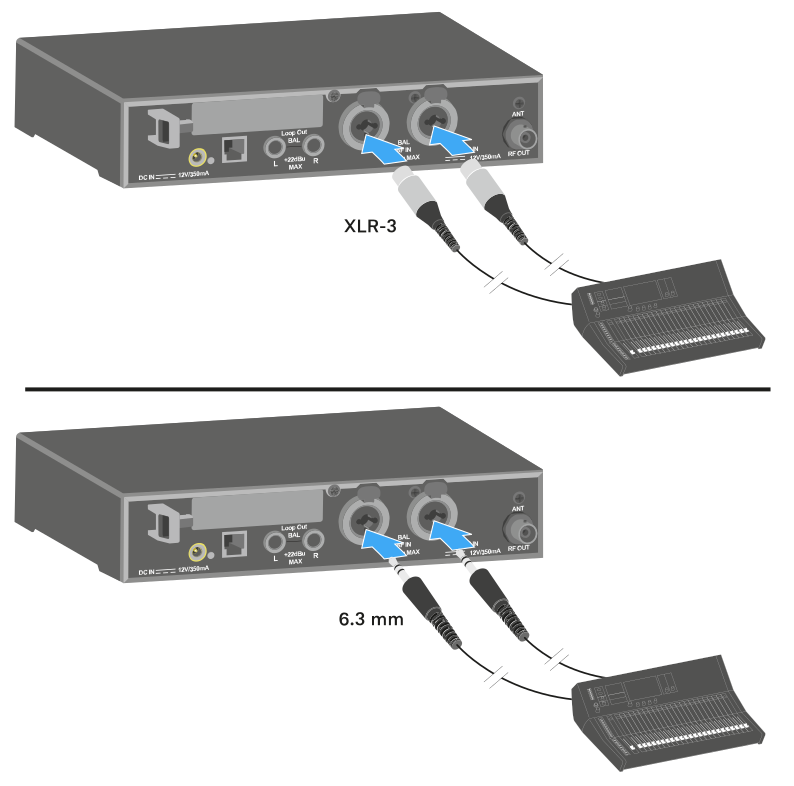
Connect the output of an external device (e.g. a mixing console or another SR IEM G4) to the audio input sockets BAL AF IN L(I) and BAL AF IN R(II) using suitable cables.
In stereo mode, the corresponding EK IEM G4 receiver can be operated in Focus mode or Stereo mode. See Mode menu item.