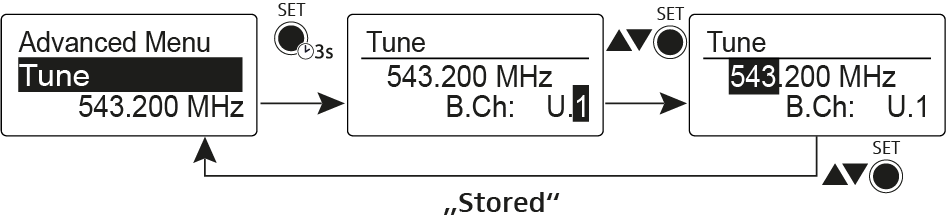
Advanced > Tune menu item
Configuring the transmission frequency and frequency bank U
When you have configured the bodypack transmitter to a system bank and you call up the Tune menu item, channel 1 of the frequency bank U is automatically set. The message U.1 briefly appears in the display. In the factory settings, the channels of the frequency bank U are not assigned to any transmission frequency.
While you work in the Tune menu, the RF signal is deactivated.
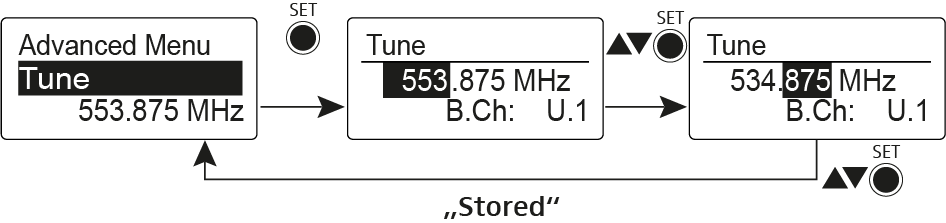
You can configure a transmission frequency for the current channel or select a channel in the frequency bank U and configure a transmission frequency for this channel in the Tune menu. Be sure to note the information on frequency selection, see Establishing a radio link.
-
Open the Tune menu item in the Advanced menu.
The frequency selection appears.
-
Open the Tune menu item in the Advanced menu by pressing and
holding the SET button until the frequency bank selection appears.