
Connecting the RMS 1 mute switch to the bodypack transmitter
You can control the SK 300 G4-RC remotely via cable with the RMS 1 remote mute switch.
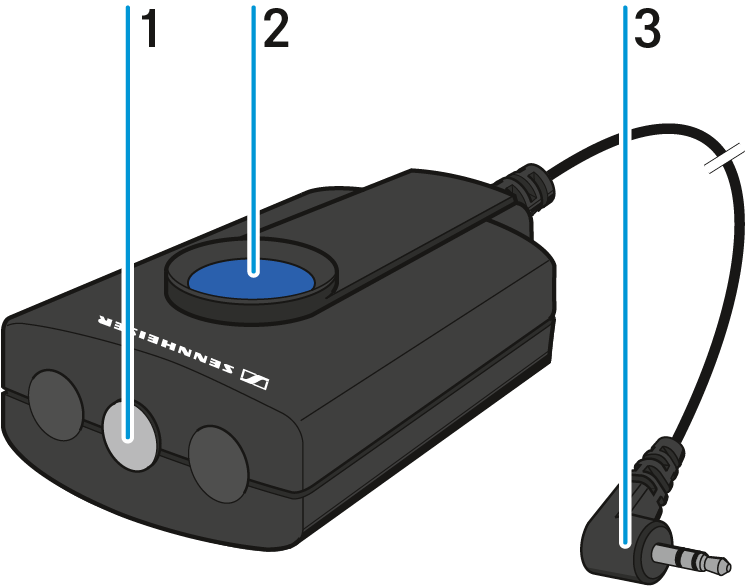
| 1 | STATUS LED |
| 2 | MIC button |
| 3 | 2.5 mm jack plug |
To connect the RMS 1 to the SK 300 G4-RC:
Insert the 2.5 mm jack plug of the RMS 1 into the 2.5 mm jack socket of the SK
300 G4-RC.
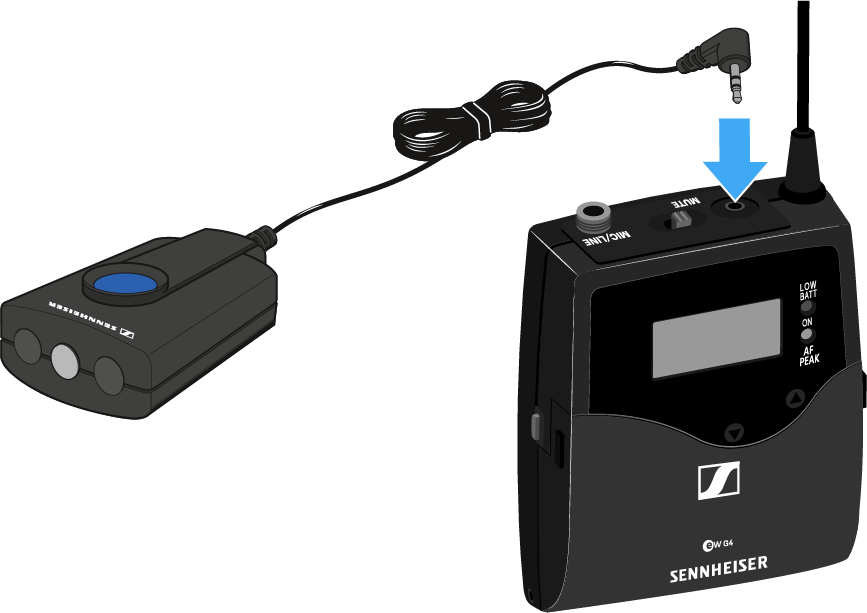
This deactivates the function of the MUTE switch of the SK 300
G4-RC.
You can find information about operating the RMS 1 under Using the bodypack transmitter with the RMS 1 remote mute switch.