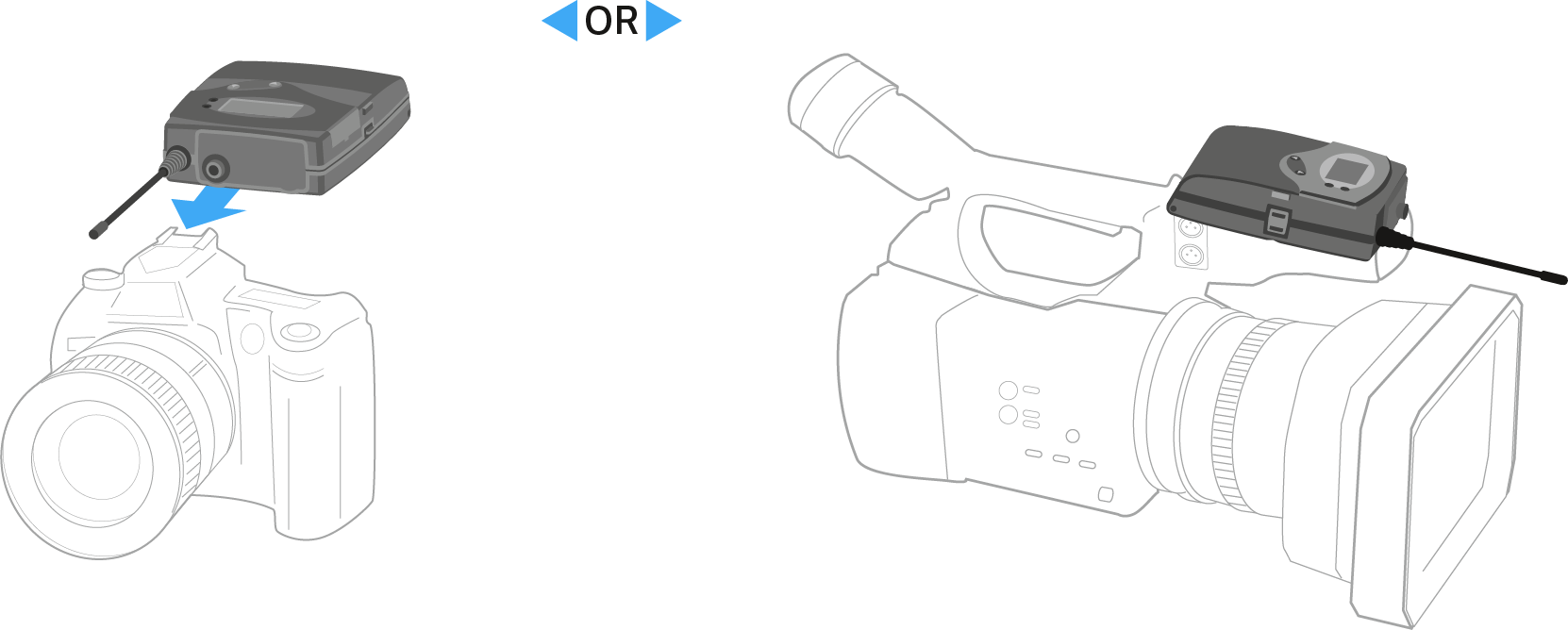
Attaching the diversity receiver to a camera
You can attach the diversity receiver on the hot shoe of the camera with the included CA 2 camera kit.
To attach the diversity receiver to a camera:
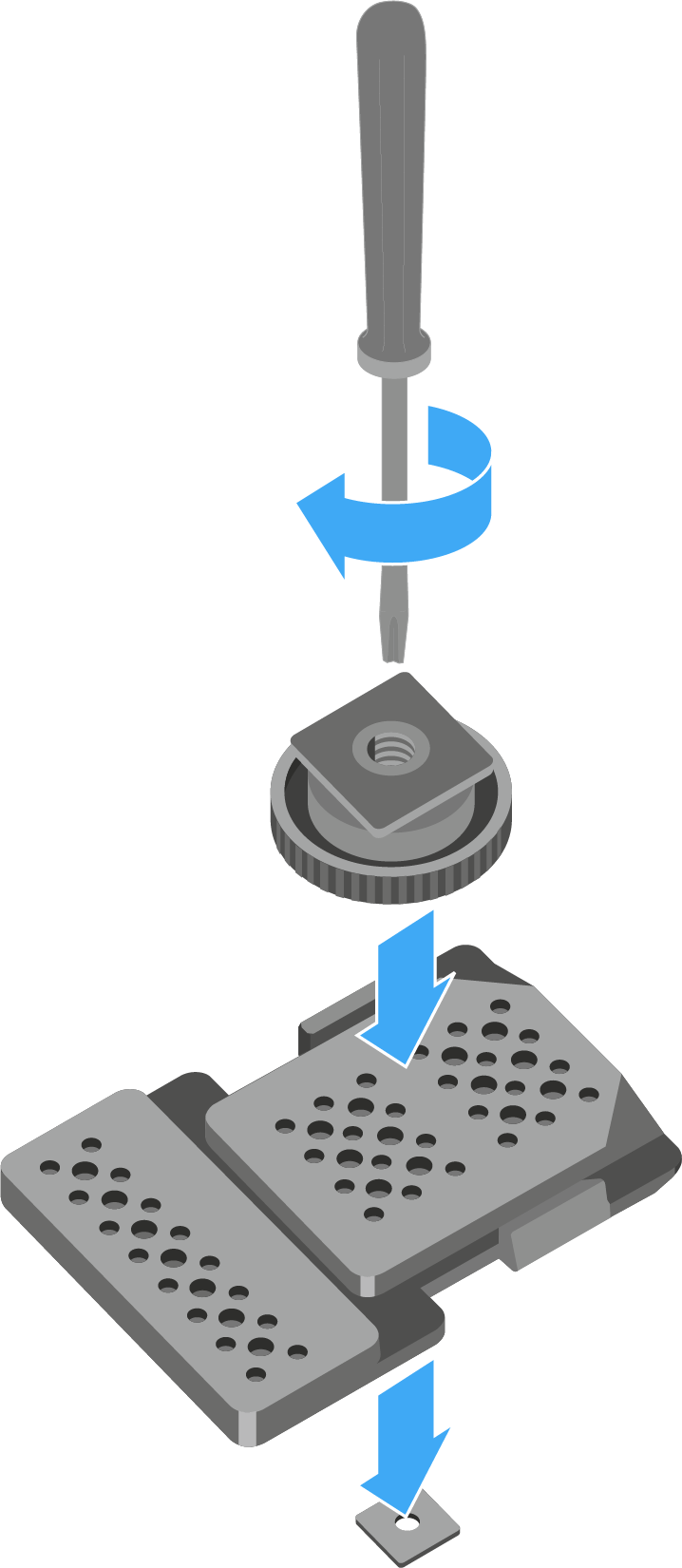
- Determine where on the perforated plate you need to attach the hot shoe adapter so that the diversity receiver can be optimally attached to the camera.
- Place a square nut under the perforated plate at this position.
-
Affix the hot shoe adapter to the perforated plate with the square nut.
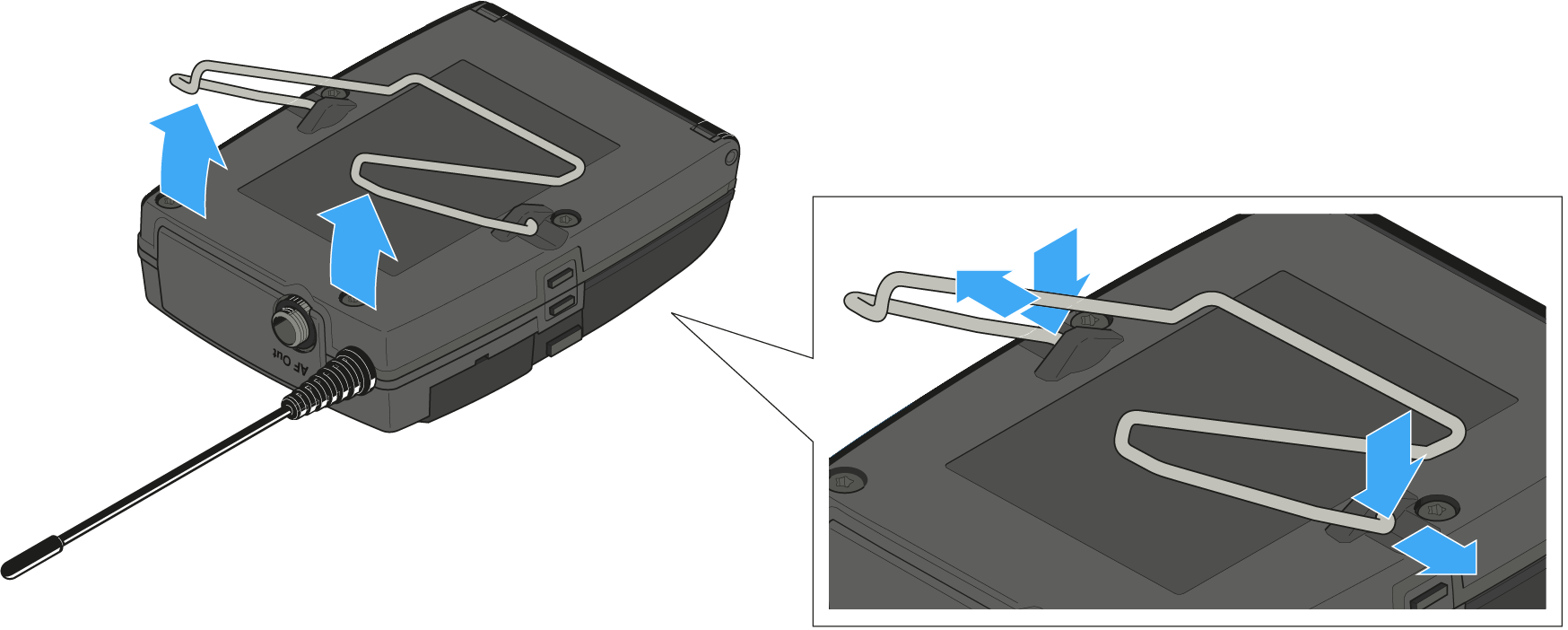
- Lift the belt clip.
- Press one side of the clip downward on the fixing hole and pull it out of the housing.
-
Do the same thing on the other side.
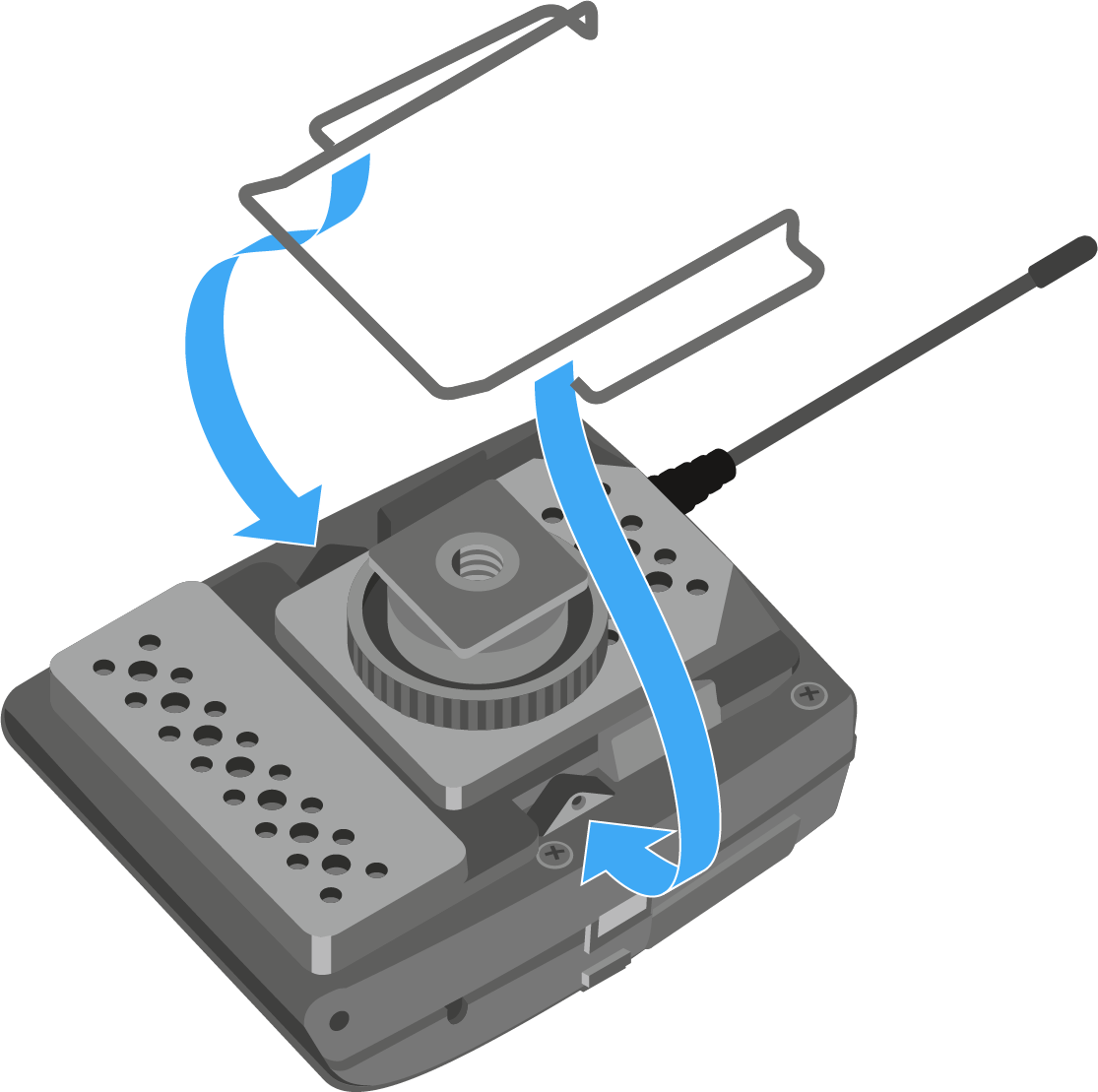
- Place the perforated plate on the rear side of the diversity receiver.
-
Reattach the clip.
-
Slide the receiver onto a camera.